How to Use WeChat Pay in China with a Korean Card (2026)

Contents
- What Is WeChat Pay and Can Visitors Use It?
- Can Korean Travelers Use WeChat Pay?
- How to Sign Up for WeChat Pay
- Step 1: Download the WeChat App
- Step 2: Create a WeChat Account
- Step 3: Open the WeChat Pay Menu
- How to Add a Korean Card to WeChat Pay
- How to Register a Korean Card, Step by Step
- Which Cards Can You Register?
- Passport Verification for WeChat Pay
- How to Complete Passport Verification
- Check These Before You Submit Your Passport
- How to Pay with WeChat Pay QR Codes
- Method 1: Scan the Shop's QR Code
- Method 2: Show Your Payment Code
- Paying Online with WeChat Pay
- WeChat Pay Fees and Payment Limits
- How Much Does WeChat Pay Charge?
- Example: What the Fee Looks Like
- How to Keep WeChat Pay Fees Low
- Where to Use WeChat Pay in China
- Can You Ride the Subway with WeChat Pay?
- Can You Order at Restaurants with WeChat Pay?
- Troubleshooting WeChat Pay Problems
- 1. You Cannot Register Your Korean Card
- 2. Passport Verification Fails
- 3. A QR Code Payment Fails
- 4. Money Was Charged but the Payment Failed
- WeChat Pay Support Numbers
- Before You Fly: WeChat Pay Checklist
Show more

Save on your trip: Trip.com regularly runs deals such as 15% off hotels and 10% off flights, so check the latest offers before you book.
If you want checkout to go smoothly on your trip to China, set up WeChat Pay before you fly.
If you register an internationally accepted card issued in Korea, you can use QR code payments even without a Chinese bank account.
This guide covers all of it in one place: signing up, adding a Korean card, passport verification, QR payments, fees and troubleshooting.
WeChat Pay is China's most widely used mobile payment service.
You can pay by QR code at restaurants, cafes, malls and street stalls, and it also handles online payments and orders placed inside WeChat Mini Programs, which makes it one of the most useful tools on a trip to China.
Yes. Korean travelers can use WeChat Pay on the same terms as any other overseas visitor.
According to Tencent's official announcement, once you sign up for WeChat with an overseas mobile number and link a supported overseas credit or debit card, you can pay at WeChat Pay merchants across mainland China.
| Item | WeChat Pay at a Glance |
| Service | WeChat Pay |
| Who can use it | Overseas visitors, including travelers from Korea |
| Sign-up method | Create an account in the WeChat app with your mobile number |
| Korean mobile number | Works (+82) |
| Chinese bank account | Not required if you pay with an overseas card |
| Overseas card | Visa, Mastercard and other major brands |
| ID verification | A passport check may be requested depending on your account status |
| Ways to pay | Scan a merchant QR code, show your payment code, or pay online where supported |
| Fees | No extra platform fee on payments of CNY 200 or less |
Note: card support, payment limits and promotions can change, so always check the terms shown in the app.

Photo source: Pixabay
Before you can pay, you need the WeChat app and an account.
You can sign up with a Korean mobile number, so there is no need to get a Chinese number first.

Download WeChat from the App Store or Google Play.
If you already use WeChat, update it to the latest version.
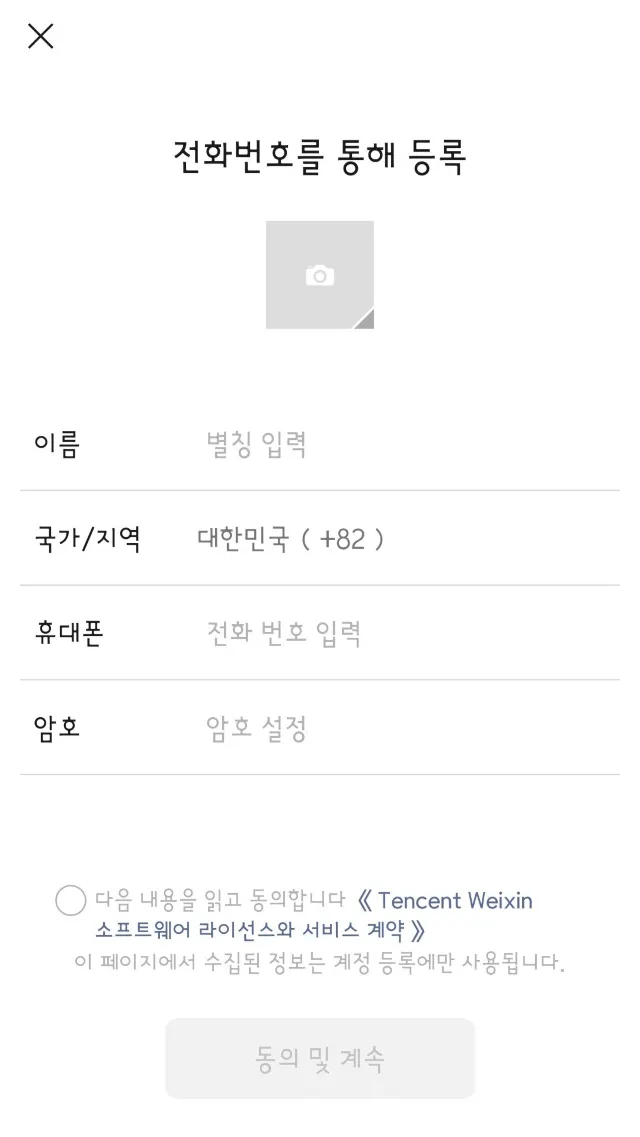
- Open the WeChat app.
- Tap Sign Up.
- Set the country code to South Korea (+82).
- Enter your mobile number and the other details requested.
- Follow the prompts to complete the security check.
- Log in to your new account.
WeChat may ask for an extra security check while you sign up.
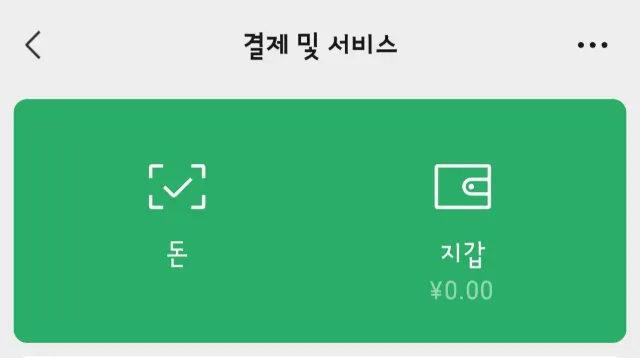
Once you are logged in, go to:
Me > Services > Wallet
If WeChat Pay is already enabled on your account, you can add a card and pay from this menu.
If you cannot see Services or Wallet, try:
Me > Settings > General > Tools > WeChat Pay
Menu names and placement can differ by WeChat version, account region and whether the service is enabled for you.
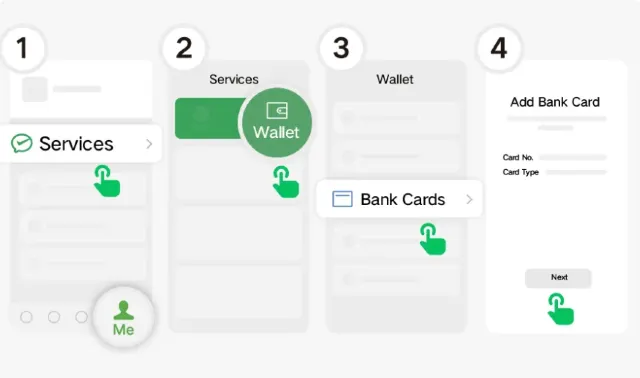
Photo source: Shanghai Municipal People's Government
To pay, you need to link the card you want to use.
Tencent lets overseas visitors link cards from major international brands such as Visa and Mastercard and use them in mainland China.
That means a card issued in Korea works even if you do not have a Chinese bank account.
- Open the WeChat app.
- Go to Me > Services > Wallet.
- Tap Add a Card.
- Enter the number of your Korean-issued card.
- Fill in the expiry date and the other details requested.
- Complete the verification requested by your card issuer.
- Submit ID verification if you are asked for it.
- Once the card is registered, you can start paying with WeChat Pay.
Depending on your bank, you may also need to provide the cardholder name and mobile number, not just the card number.
According to Tencent's announcement and China's payment guidance for foreign visitors, these international card brands are supported.
| Card brand | Can I register it? |
| Visa | Supported |
| Mastercard | Supported |
| UnionPay | Supported |
| American Express | Supported |
| JCB | Supported |
| Diners Club | Supported |
| Discover | Supported |
Even within the same brand, an individual card can still be refused, depending on the issuing bank and the card product.
For a Korean card, check that overseas payments are switched on.
If registration keeps failing, ask your card issuer whether overseas mobile payments are allowed on that card.
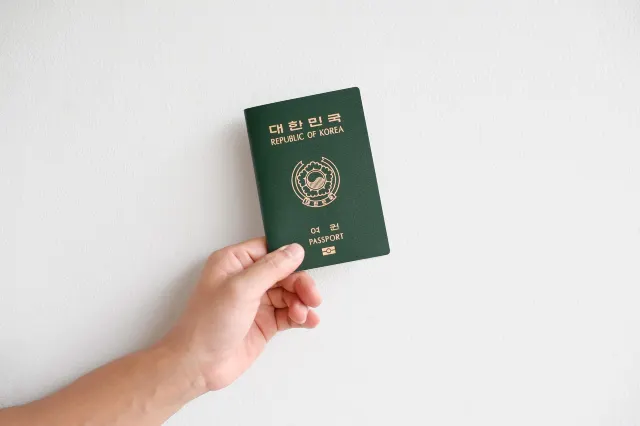
Photo source: Pixabay
WeChat Pay may ask you to confirm your identity with your passport.
Tencent has simplified card registration for overseas users, so basic payments often work as soon as your card details are added.
You may still need to submit passport details if you want a higher payment limit or if your account needs extra verification.
- Open the WeChat Pay wallet.
- Tap the ID verification prompt shown in the app.
- Choose Passport as the ID type.
- Enter your name and details exactly as printed in your passport.
- Follow the prompts to upload a passport photo or any extra documents.
- Check the result of the review.
The screens you see can differ depending on your account status.
Tencent has raised the transaction limits for overseas users who complete verification.
Verified overseas users can be allowed up to USD 5,000 per transaction and USD 50,000 per year, subject to conditions.
Your actual limits can differ by account, card and current policy, so check them in the app.
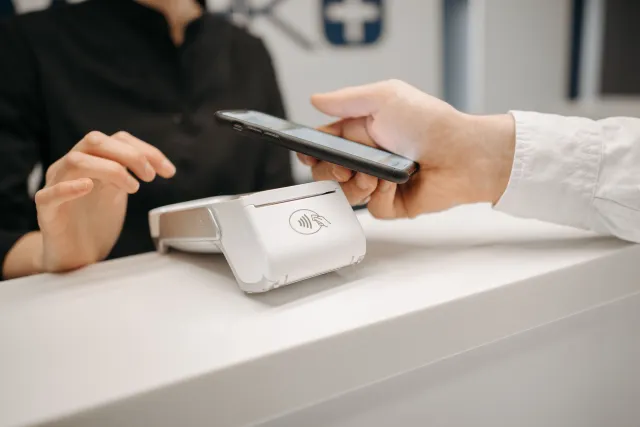
Photo source: pexels
Once your card is registered, you can pay by QR code almost anywhere in China.
There are two main ways to pay: scan the shop's QR code, or show your own payment code to the cashier.
This is the usual way to pay at street food stalls and small shops.
- Open WeChat.
- Tap the + button in the top right corner.
- Choose Scan.
- Scan the shop's payment QR code.
- Enter the amount, or check the amount that appears.
- Confirm the payment with your linked card.
- Check the confirmation screen.
Some merchants use QR codes that do not accept overseas cards.
Convenience stores and larger shops usually scan the customer's payment code instead.
- Open Services in WeChat.
- Tap Money, the payment function.
- Show the payment code to the cashier.
- The payment goes through as soon as it is scanned.
- Check the receipt in your transaction history.
Never share your payment code with anyone else.
You can also use WeChat Pay in some Mini Programs and online services.
At many Chinese restaurants, for example, you scan the QR code on the table, order from the menu and pay in one go.
Some of these services will not accept a WeChat Pay account linked to an overseas card.
Even when WeChat Pay appears as an option, check that your overseas card is actually accepted before you rely on it.
Fees are one of the first things travelers ask about WeChat Pay.
If you pay with an overseas card, a service fee may apply depending on how much you spend.
Under Tencent's 2026 announcement, fees for overseas cards work like this:
| Payment | Platform fee |
| CNY 200 or less per payment | No 3% service fee |
| More than CNY 200 per payment | A 3% service fee applies |
| First-time overseas card users | Fees waived for 90 days from your first payment |
| Daily cap for new users | Up to CNY 1,000 per day |
In May 2026 Tencent announced that anyone linking an overseas card for the first time has overseas card fees waived for 90 days from the first transaction, with a daily cap of CNY 1,000.
The earlier version of the offer ran for 60 days; the 2026 announcement extends it to 90.
Promotions can end or change, so check the fee shown on screen at the time of payment.
Assuming the standard 3% fee and no promotion:
| Payment | Service fee |
| CNY 100 | CNY 0 |
| CNY 200 | CNY 0 |
| CNY 300 | CNY 9 |
| CNY 500 | CNY 15 |
| CNY 1,000 | CNY 30 |
These figures cover the platform fee only.
The amount charged in Korean won also reflects your card issuer's overseas transaction fee and the card network's exchange rate.
A few habits keep costs down while you travel:
Fees and limits change, so the payment screen is always the final word.


Photo source: Pixabay
WeChat Pay works in far more places than you might expect.
| Where | How you pay | What to watch out for |
| Restaurants and cafes | Scan the QR code or order in a Mini Program | Personal QR codes may reject overseas cards |
| Convenience stores and malls | Show your payment code | Most accept overseas cards |
| Taxis | Pay in supported ride-hailing apps | Rules vary by app and driver |
| Attractions | Online tickets and on-site payment where supported | Some ticket services do not take overseas cards |
| Hotels | Pay in person or prepay online | Confirm that prepayment is accepted |
| Subways and buses | Metro and bus services in supported cities | You may need a separate transport QR code |

Photo source: Pixabay
In many Chinese cities you can ride the subway or bus through transport services inside WeChat.
Each city runs its own system, though, and the transport QR code is often separate from your normal WeChat Pay code.
Transport services may also be limited for accounts linked to foreign cards, so check the city's official transport guide before you rely on it.

Photo source: Pixabay
Many restaurants in China let you view the menu and order through a WeChat Mini Program.
You scan the QR code on the table and the restaurant's ordering page opens.
Being able to order does not guarantee you can pay, so check whether the page accepts an overseas card before you order.
If it does not, ask the staff whether you can pay another way.
Card registration and QR payments do occasionally fail.
Overseas cards are the usual culprit: your bank's security policy and the merchant's payment setup both play a part.
If your card will not register, check these first:
China's payment guidance notes that each overseas card has to be approved by its issuing bank.
If the registration is declined, contact your bank first, then WeChat Pay customer service.
Go back over the details you entered against your passport.
Check the spelling of your name in English and your passport number, and if you need to upload a photo, retake it so every line is sharp and readable.
If it keeps failing, use the support option shown inside the app.
- Check your internet connection.
- Update WeChat to the latest version.
- Make sure the right card is selected.
- Check your card limit and remaining balance.
- Ask the cashier whether this QR code accepts international cards.
- Pay another way: a different card, Alipay or cash.
Personal transfers and some personal receipt codes in particular do not accept overseas cards.
A failed payment can still leave an authorisation on your card, so do not pay again straight away.
Check your WeChat Pay transaction history and your card statement first.
If you are charged twice or need a refund, note the amount, time and transaction number, then contact the merchant or WeChat Pay support.

Photo source: Pixabay
Set everything up before you leave home and you will not be stuck at a checkout in China.
Card verification is easier to complete in Korea: text messages from your bank may not reach you once you are in China.
Actual acceptance still depends on the individual merchant.
Register WeChat Pay and add your card before you fly, and paying in China becomes a single scan. Keep Alipay or cash handy as well, in case a payment fails.
For more China travel tips and payment guides, explore Trip.com.


Popular recommendations

2026 Guide to Shanghai Pudong Airport: Transit Visa & PVG Airport Shuttle
 _TS***4m
Latest Trip.com Promo Codes, Flight Discounts & Hotel Savings (Weekly Update)
 Trip.com Official
6 Things to know before Exploring the Montmorency Falls, Quebec
_TS***4m2026 Guide to Shanghai Pudong Airport: Transit Visa & PVG Airport Shuttle
_TS***4m