Translation in China: Best Apps and Tips for Travellers (2026)
Contents
- Why Translation in China Is a Different Problem
- What Does Not Work: Google Translate on a Chinese Connection
- The Best Translation Apps for China
- Baidu Translate
- Microsoft Translator
- Youdao Translate
- Pleco
- WeChat's Built-In Translation
- How to Translate a Menu in China
- Taxi Drivers, Train Stations and Hotel Front Desks
- Set Up Before You Fly: A Ten-Minute Checklist
- Eight Chinese Phrases Worth Keeping on Your Phone
- When an App Is Not Enough
- The Short Version
Show more
China is one of the easiest countries in the world to travel in, right up to the moment you need to read something. Airport and metro signs are bilingual, but walk into a neighbourhood restaurant, a pharmacy or a taxi and the English runs out very fast.
Translation in China is also a different problem from translation anywhere else. The app most people reach for first does not work on a Chinese connection, and the language is not written in letters you can sound out. This guide covers what actually works: which apps to install before you fly, how to set them up so they work offline, how to order food and reach your hotel without speaking Mandarin, and the situations where no app will do and you need a human.
Chinese is written in characters rather than letters, so you cannot sound a word out and guess at it the way you can with Spanish or Italian. A menu, a road sign or a medicine box tells you nothing unless something translates it for you.
English coverage is good where tourists are funnelled through: airports, high-speed rail stations, big-city metro lines, chain hotels and the major sights. It thins out quickly everywhere else.
The reassuring part: you do not need to learn Mandarin to travel well in China. What you need is a way to turn characters into English in a few seconds, and a habit of showing written Chinese instead of trying to pronounce it.
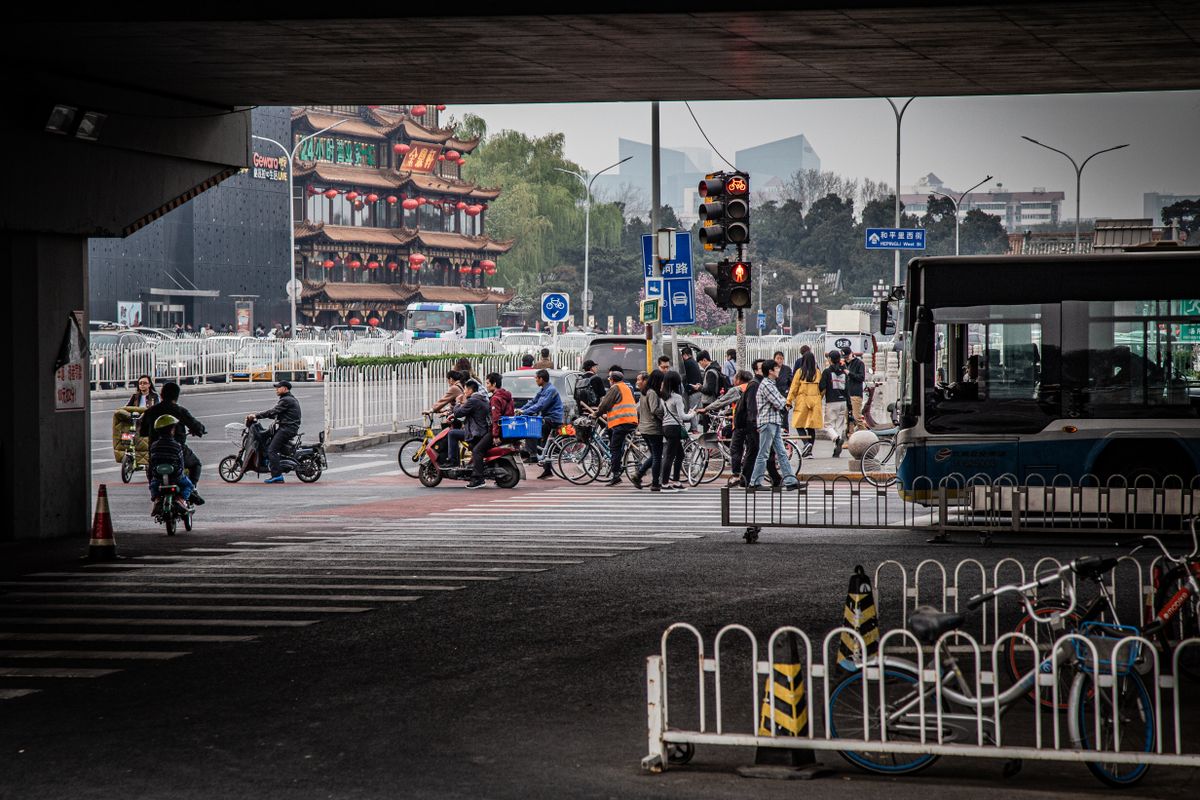
Photo: Mehdi Khoshnejad via Pexels
Google's services are blocked in mainland China. On hotel Wi-Fi or a local SIM card, Google Translate does not load, and its camera translation never gets as far as the first frame. The app is not broken; it simply cannot reach its servers.
A VPN can sometimes get it working, but it is the least reliable tool you could carry: slow, heavy on battery, and most likely to fail exactly where you need it, in a basement restaurant or a taxi with weak signal.
There is one clean workaround. Data from your home carrier's roaming plan, or from an international travel eSIM, is routed outside mainland China, so apps like Google Maps, WhatsApp and Google Translate usually keep working as they do at home. Hotel Wi-Fi will not do this. If you want the foreign apps, plan your data accordingly, and read our guide to China SIM cards and eSIMs before you leave.

Everything below works on an ordinary Chinese connection, with no VPN. Install two of them: one for everyday use, one as backup for the day the first one misbehaves.
| App | Best for | Offline mode |
| Baidu Translate | Menus, signs, quick text and voice | Yes, download the pack |
| Microsoft Translator | Two-person conversations, offline use | Yes, download the pack |
| Youdao Translate | Camera translation, voice input | Yes, download the pack |
| Pleco | Single characters and dish names | Yes, dictionary is offline |
| Messages and printed text you already have | No, needs data |
Baidu Translate is the local default, and it is the one app that feels built for the situations you will actually be in. Point the camera at a menu or a sign and it overlays English on the characters; type or speak a sentence and it gives you Chinese back. It is free, the interface can be switched to English, and it works without a VPN.
It is more literal than DeepL or Google on long, complicated sentences, so keep your inputs short. For a menu line, a street sign or a question to a shop assistant, it is accurate enough.
Microsoft Translator is the best choice if you expect to have real conversations, for example with a landlord, a driver or a hotel manager. Conversation mode lets two people take turns on one phone, or pair two phones, and each side sees the translation in their own language. It also has the most dependable offline packs: download Chinese before you fly and the app keeps working with no signal at all.
Its camera translation is a step behind Baidu's on handwritten or stylised characters, so use it for talking and Baidu for reading.
Youdao Translate covers more than a hundred languages, handles camera, voice and text input, and is free. It sits somewhere between the two apps above: good camera translation, a clear voice mode, and offline packs that are easy to download. It is a sensible backup to Baidu if the app store in your region will not install it.
Pleco is a dictionary rather than a translator, and that is exactly why it is useful in a restaurant. You can write a character with your finger, point the camera at one, or look up a dish name and read the breakdown: what the ingredient characters mean, how the word is used, and what it usually refers to. The basic dictionary is free and works entirely offline.
When a translation app hands you something surreal like "ants climbing a tree", Pleco is how you find out it is glass noodles with minced pork.
If you are using WeChat for payments, which most visitors end up doing, you already have a translator installed. Long-press any message and tap Translate to read it in your interface language, and the Scan tool has a translation mode for printed text. It is not a replacement for a camera translator, but it saves you switching apps when someone sends you an address or a set of instructions.
Menus are where translation apps earn their place, and also where they fail most entertainingly. Chinese dish names are often poetic, regional or historical rather than descriptive, so a literal translation tells you the words but not the food.

Photo: Alan Wang via Pexels
The single most useful translation habit in China is not speaking into a phone. It is showing written Chinese.
- Install Baidu Translate and Microsoft Translator, and switch both interfaces to English.
- Download the Chinese offline pack in each app. Do this on fast home Wi-Fi, not in the airport.
- Save screenshots of your hotel name and address in Chinese, plus your flight and train details.
- Sort out data that keeps foreign apps working if you want them, via roaming or an eSIM.
- Install WeChat or Alipay for payments, since QR-code menus and small shops often take nothing else. Our China payment guide walks through the set-up.
- Save one allergy or medical sentence in Chinese, if it applies to you.
You do not need to pronounce these well. Typing or showing the characters does the job, and locals are used to visitors pointing at a screen.
| English | Chinese | Pinyin |
| Hello | 你好 | nǐ hǎo |
| Thank you | 谢谢 | xièxie |
| How much is it? | 多少钱? | duōshǎo qián? |
| I don't speak Chinese | 我不会说中文 | wǒ bú huì shuō zhōngwén |
| Not spicy, please | 不要辣 | bú yào là |
| Where is the toilet? | 洗手间在哪里? | xǐshǒujiān zài nǎlǐ? |
| I am allergic to peanuts | 我对花生过敏 | wǒ duì huāshēng guòmǐn |
| Please write it down | 请写下来 | qǐng xiě xiàlái |
Apps handle almost everything a tourist needs, but there are three situations where you should arrange a person instead.
Official documents. Visa extensions, notarised certificates, some driving paperwork and anything submitted to a government office usually need a translation from a licensed agency carrying an official translation seal. A phone translation, however accurate, will not be accepted. Do this through a registered agency, ideally before you travel.
Medical appointments. Hospital front desks in big cities can usually find English-speaking staff, but for a real consultation ask your hotel or insurer to arrange an interpreter. Misunderstanding a dosage is not a translation-app problem.
Business and long conversations. A local guide or interpreter costs far less than a missed meeting. Hotels can recommend one, and licensed guides are bookable in advance for a half day or a full day.
China rewards a little preparation more than most destinations. Twenty minutes with two apps on your phone before departure is usually the difference between pointing at a menu and actually ordering what you wanted.
Popular recommendations

China Travel Payment Guide: Alipay, WeChat Pay, Cards & Cash
 OneVoyager

2026 China Apps for Travelers: Payment, Maps, Taxi & Food
OneVoyager
China SIM Cards 2026: Best Data SIMs, eSIMs and Pocket WiFi for Short Trips, Longer Stays and Travel in China
OneVoyager
How to Get Around China as a Tourist: Metro, Taxis, Trains & Essential Apps
OneVoyager