What is the Two Together Railcard?
A Two Together Railcard costs €36.65 and provides a 1/3 discount on rail fares within the United Kingdom for an entire year, including all Standard and First Class Advance fares.
How much does a Two Together Railcard cost?
The Two Together Railcard costs €36.65 for one year.
How do I ?
To apply for a Two Together Railcard, you will need to provide the following information:
• Proof of age (UK driving license/provisional license, passport, or EEA national ID card)
• A high-quality digital photo of your passport
• Debit or credit card for payment
How to Use the Two Together Railcard on
Use digital Railcards and enjoy discounts of up to 33%, catering to different age groups. Digital Railcards provide a convenient and cost-effective way to book discounted train tickets, making your journeys more affordable.
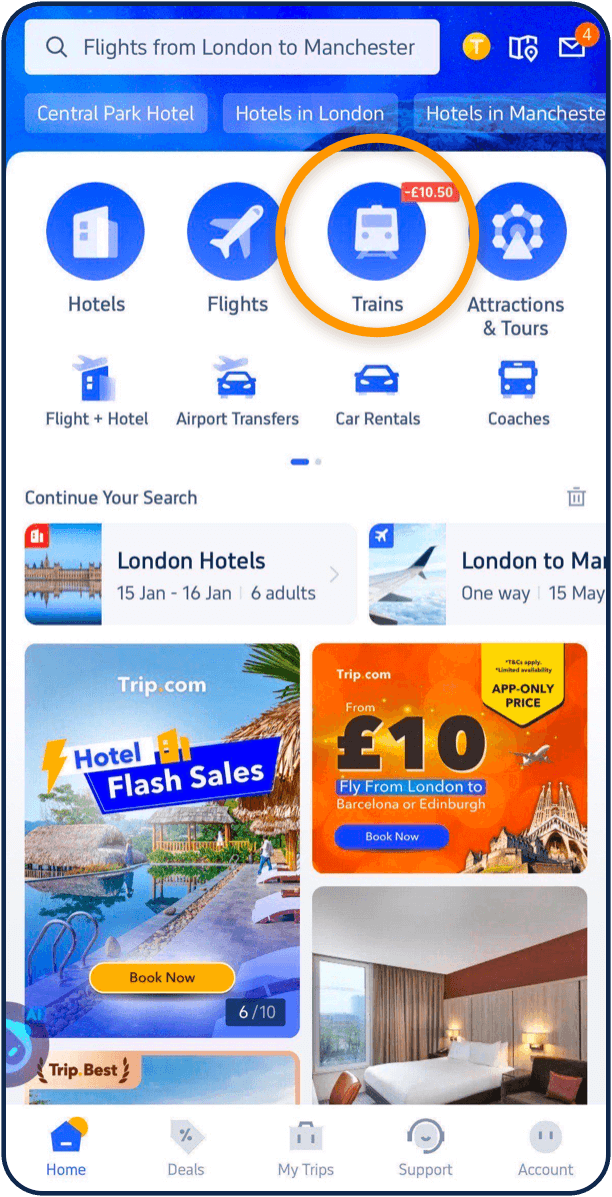
Step 01
Open the Trip.com app and tap "Trains" at the top of the homepage
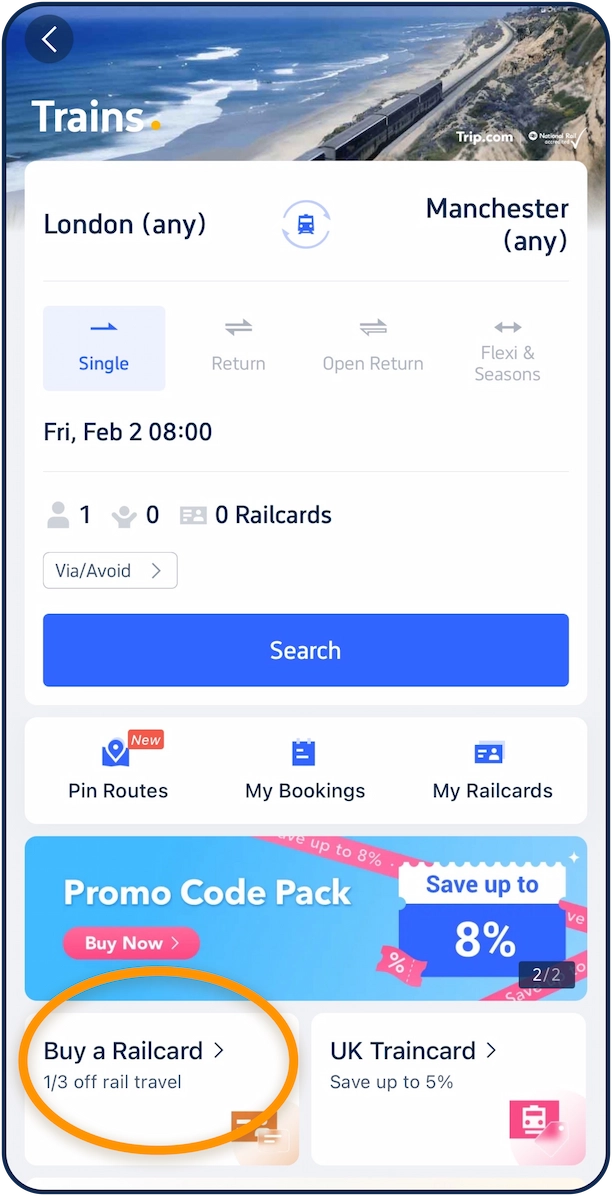
Step 02
Tap "Buy a Railcard" at the bottom of the page
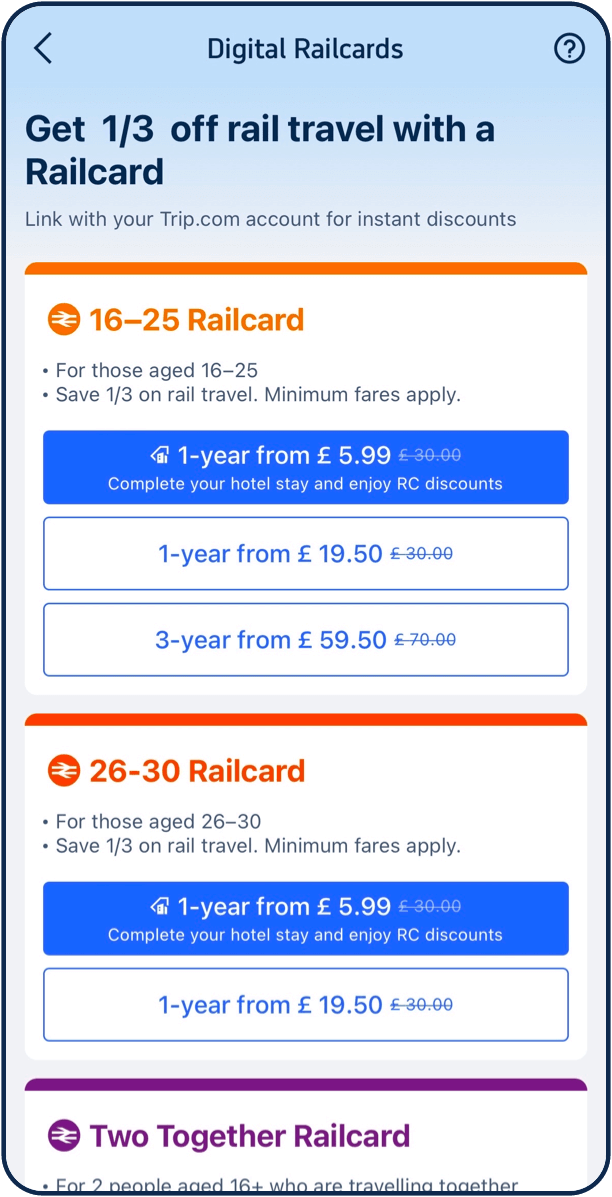
Step 03
Sign in to your Trip.com account and select a Railcard type that is right for you
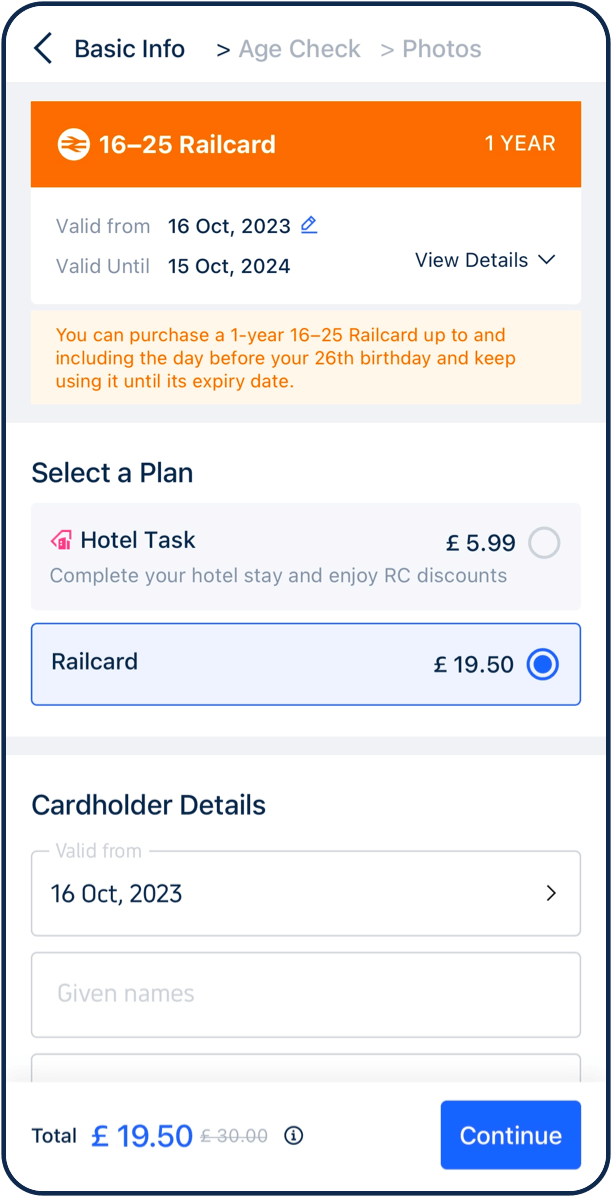
Step 04
Enter your personal information and purchase
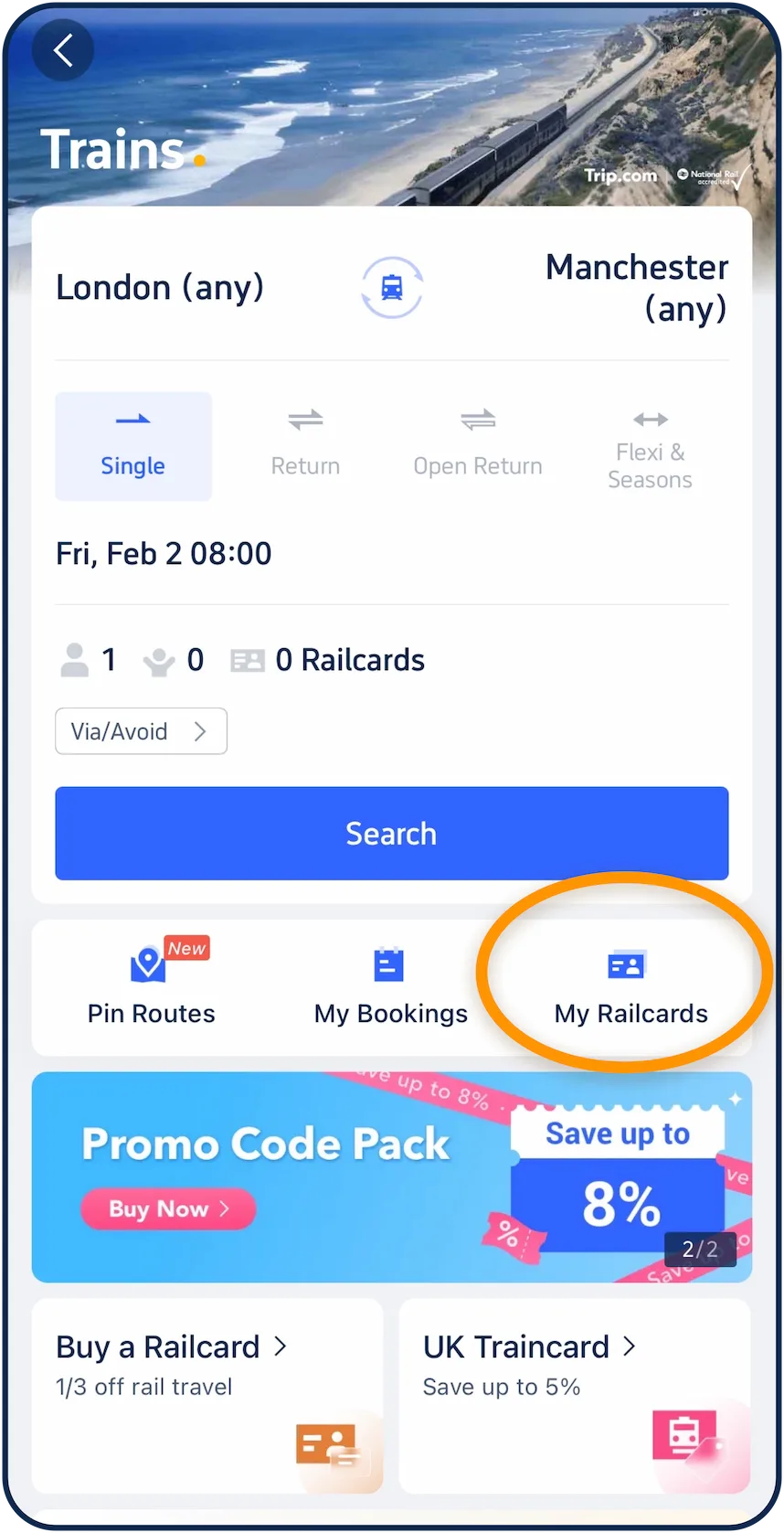
Step 05
Tap "My Railcards" to view your Railcard
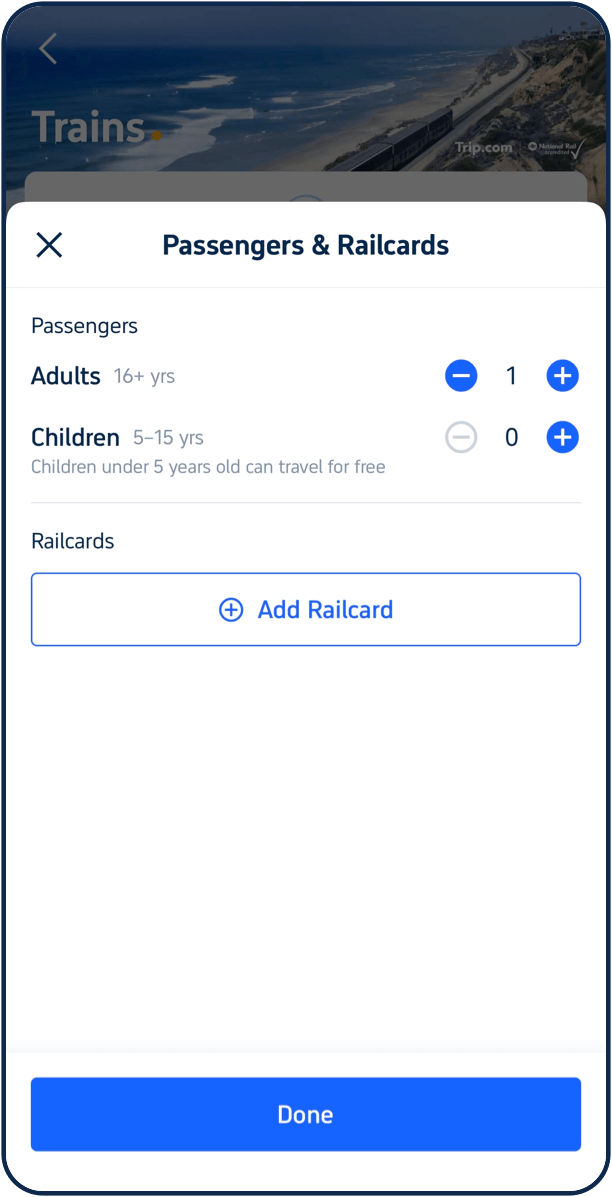
Step 06
Add your Railcard when booking train tickets to enjoy discounts
- Use your Railcard and get at least 1/3 off train tickets!
- Use your Railcard on tickets you purchase anywhere (not just with us).
- Digital Railcards are linked to your account, so they can be stored on any devices you use
Why Buy Two Together Railcards on ?

No More Switching
You can manage your train tickets and Railcards in one place by adding the digital Railcards to your Trip.com account. You won't need to switch between apps or dig around for your physical Railcards.

Worry-free
When you add a digital Railcard to your Trip.com account, it can be stored on any device you use. So you never worry about forgetting or losing your Railcard.

Available at Any Time
Trip.com works hard to offer a one-stop service for our users' train travel. By adding a digital Railcard to your Trip.com account, you can conveniently access your Railcard when needed, e.g. when the ticket inspector checks your ticket.

More Discounts
Enjoy exclusive discounts as soon as you as a new user buy your digital Railcard on the