Eurail France pass [official agent/instant ticket issuance/no ticketing fee/explore France/unlimited travel frequency]
View all 7 photos

Eurail France pass [official agent/instant ticket issuance/no ticketing fee/explore France/unlimited travel frequency]

4.4/5
Average
(20 reviews)
500+ booked
From
$0.00

Highlights

[Extensive coverage] One ticket gives you unlimited access to all trains in France! Explore the unlimited beauty of France with a single rail pass!
Flexible, convenient, time-saving and budget-friendly! Travel effortlessly with e-tickets!
[Family-friendly] You can take 2 children under 11 for free, with discounts for youth and seniors!
Product details

Note:

1. [Validity Period] 11 months from the date of purchase.

2. Cancellation and change policy: Free cancellation and changes are allowed before exchanging the admission voucher.

Please note that passes that have been partially used or activated (linked to the app) are non-refundable.

- Unlinked passes (not linked to the app) can be canceled for free within 11 months from the date of purchase.

- To request a refund, please deactivate your pass. The pass can be deactivated in the app before the selected start date (00:00 CET on that day). Please use the Rail Planner app, go to "My Pass," tap the three dots in the upper right corner, and select "Deactivate Pass" (the pass can be reactivated later).

Free cancellation is available before voucher redemption (before the selected start date when linking the app, at 00:00 CET on that day)

3. [Important Reminder] If your itinerary includes popular routes, before linking the app to activate your pass, please check whether seats are available for the routes you plan to take. If seats are unavailable, do not activate the pass for use on that day. Unactivated passes can be canceled, or they can be canceled before [the selected start date when linking the app (00:00 CET on that day)].

Recommended website for seat reservations: Rail Europe official website:

. Add your rail pass on the page, then search for your point of departure and destination to make reservations.

If the app displays "Seat reservations required" when checking the route, then seat reservations are needed for this route. Availability is subject to actual conditions, and popular routes should be booked at least 2 weeks in advance.

If you need to reserve a seat, you must first save your itinerary in the app and then follow the corresponding route and method to book your seat. Please note that if you fail to reserve a seat on routes requiring advance booking, you will not be allowed to board. Remember this!

5. How to activate and use the pass: (Please click to view, wait if loading is slow):

,

France Rail Pass Eurail France Mobile Pass

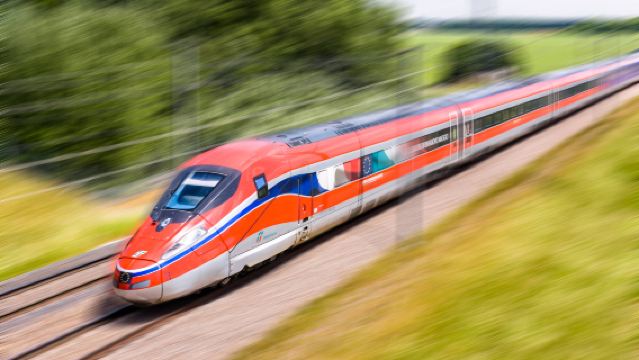
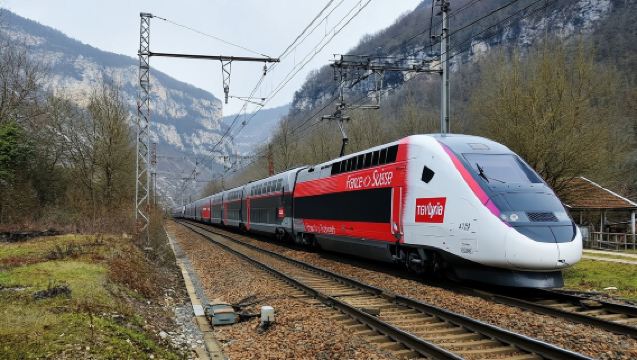
France's railway network is extensive, connecting every corner of the country. The high-speed TGV trains can reach speeds of 320 km/hr, offering fast, safe, and comfortable travel between major French cities and airports. For instance, Paris Charles de Gaulle Airport has an underground train station with direct connections to southern cities like Avignon and Marseille. The non-high-speed Intercités trains provide convenient access to smaller towns and remote suburbs across France.

  • The Eurail France Pass is a universal train ticket that offers you the freedom and flexibility to travel by train across various regions of France, allowing you to explore the country to the fullest!
  • After purchase, you can enjoy unlimited free train rides across the French rail network.
  • You can choose your destination and departure time at your own discretion. If you miss your train or your travel plans change, simply board the next available train. Most trains allow direct boarding with a pass, but some high-speed trains, international high-speed trains, scenic trains, and night trains require advance seat reservations.

Package Options

  • Passengers can choose between first class or second class carriages.
  • The pass is a flexible travel vehicle type. With a flexible travel vehicle type pass, you can choose to ride the train for free on any 1, 2, 3, 4, 5, 6, 7, or 8 days within a month.

Applicable Scope

*Please note that seat reservations are required at all times for high-speed trains and night trains in France, and the quantity of seats available for Eurail pass holders is usually limited.

Main Itineraries

France's high-speed TGV trains radiate from Paris, connecting over 230 major cities across the country in just a few hours. Routes include Paris-Nice, Paris-Lille, Paris-Avignon, Paris-Lyon, Paris-Marseille, Paris-Bordeaux, Paris-Strasbourg, Paris-Rennes, Paris-Nantes, Paris-Dijon, Paris-Tours, Paris-Cannes, Paris-Montpellier, Paris-Toulouse, Marseille-Nice, and Lyon-Nice.

[Advantages and Highlights of the France Pass]

  • Travel worry-free, convenient and fast, great value for money
  • Long-distance single rides? Multiple rides in a day offer better value.
  • Looking for highly flexible itineraries with longer playtime for better value
  • When you decide to travel last minute and can't get discount tickets, a travel pass is more cost-effective.
  • Unlimited free rides, set your travel time as you wish!
  • Multiple package options to meet various needs

Train Facilities and Services

French TGV High-Speed Train: Offers clean and tidy carriages, spacious and comfortable seats, along with high-quality and attentive service. The trains include both single-deck and double-deck options, all of which are non-smoking. Each seat is equipped with a personal reading light, making it convenient for passengers to work, read, or use electronic devices. There are also spacious luggage storage areas within passengers' line of sight—larger items can be placed between carriages or in designated luggage spaces between seats, while smaller items can be stored on the overhead racks.

**First Class Carriage (French TGV High-Speed Railway):**

  • 2+1 seating arrangement, individual seat + private space, electronically adjustable seat recline.
  • Features adjacent seating or club spaces that allow groups of two or four travelers to work together.
  • Laptop or mobile phone power socket.
  • Passengers are allowed to carry 2 pieces of checked baggage and 1 piece of carry-on baggage with no weight restrictions. Each piece must be labeled with the passenger's identification.
  • A wheelchair-accessible area is available, and passengers must request it at the time of booking.
  • Taxi reservations available onboard: Seat reservations can be made through the train staff on select high-speed trains (Lille, Paris - Nantes, Paris - Rennes, and Paris - Nice).
  • Breakfast, main meals, hot and cold dishes, sandwiches, desserts, and hot and cold beverages are available for purchase in the dining car.

Second Class (French TGV High-Speed Train):

  • 2+2 seating arrangement, comfortable and convenient seats.
  • The "Carré" square area allows 4 passengers to work together; the "Kiosque" small meeting area (16 seats) is suitable for small group travelers to collaborate; in Car 1, there is a private space accommodating 6 people facing each other, completely separated from the rest of the car.
  • Passengers are allowed to carry 2 pieces of checked baggage and 1 piece of carry-on baggage with no weight restrictions. Each piece must be labeled with the passenger's identification.
  • Onboard infant care facilities: equipped with an infant changing table and a bottle warmer.
  • Breakfast, main meals, hot and cold dishes, sandwiches, desserts, and hot and cold beverages are available for purchase in the dining car.

French Intercities Non-High-Speed Trains: Some trains offer dining car services where passengers can purchase beverages and snacks. Most trains do not provide dining cars, so it is recommended that passengers purchase food at the train station before boarding.

1st Class Carriage (Non-High-Speed Inter-City Rail)

  • Spacious and comfortable genuine leather seats.
  • Independent power outlet.
  • Foot pillow
  • Luggage racks are located in the center of the train car.
  • You can book a taxi through the train staff.

2nd Class Carriage (Non-High-Speed Inter-City Train)

  • Comfortable and convenient.
  • Car 3 or 13: Features a family zone with a children's play area, equipped with child safety seats for ages 1-4, designated storage space for foldable strollers, baby changing tables, and bottle warming facilities for infants.


Pass Validity

Activation date: refers to the first use date selected when linking the pass to the app.

1. Before the pass is linked to the app and activated:

This pass must be activated within 11 months from the date of ticket issuance (purchase) (except for specified promotional products) and will expire thereafter.

For example, if a pass is purchased on January 1, its validity period starts from January 1 and remains effective for 11 months before activation. It can be activated on any day within these 11 months.

2. Link the Pass to the app for activation. After activation:

Continuous type

The validity period of the pass starts from the first travel date selected when linking the pass to the app, and it must be used consecutively for N days.

For example, if you purchase a 15-day consecutive package on Jan 1 and choose Feb 1 as the start date when linking the app, the expiration date will be calculated from Feb 1 (the selected activation date) and end on Feb 15.

Flexible

Valid for N days within X months from the first travel date selected when linking the pass to the app, calculated based on the pass's expiration date and duration.

For example, if you purchase a flexible package for 4 days within 1 month and choose Feb 1 as the start date when linking the app, the expiration date will be within 1 month from Feb 1, allowing you to use it on any 4 days during this period.

Activation process for pass

1. How to activate and use the pass? Illustrated guide (please click to view, wait if loading is slow):

,

Video guide:

(you can switch languages in the top right corner: Chinese/English, Japanese, Korean, Portuguese) to learn how to activate your Eurail global pass or single-country pass on mobile or computer.

2. How to download the app on Huawei phones?

Download the Huawei outbound easy app, download Google apps, and download the rail planner app within this app.

3. Can multiple passes be linked to one device?

You can add multiple passes to your device as needed. After activating a pass during your trip, you can also transfer it to another device (only once). If you're traveling as a group with multiple passes stored on one device, all members must travel together for all journeys.

If multiple people are traveling together, one mobile phone can activate multiple tickets simultaneously. If there are multiple passes on the same phone, please note the following:

Each pass requires a separate itinerary in the app.

(2) If you have created an itinerary, you can copy an existing one and link the copy to another pass. Please name each itinerary differently to manage all itineraries.

When validating tickets, each member using the pass must present their ticket. Tap "Show ticket" after selecting another pass in "My pass".

The ticket inspector will scan the QR code to verify if the train you're boarding matches the one shown on your ticket. They will also check your personal info and may request to see your passport or ID.

4. Traveling with children?

Child passes need to be activated just like regular passes and can be stored on a separate device. Child passes should always have their own travel and ticket information for inspection during train journeys.

Children under 4 years old can travel for free without needing to purchase a separate pass.

Seat reservation

  • You can reserve seats in advance without activating the pass.

1. Please check if seat reservation is required for the route.

Please download the Eurail/Interrail Rail Planner app or visit the

to search based on your desired route. If the route shows:

"No reservation needed" means no seat booking fee is required. The route is saved directly in the app and can be shown when boarding.

"Seat reservations required" indicates that seat reservations are mandatory

"Not in Pass network" means it is not included in the pass.

(You can switch languages in the top right corner: Chinese/English, Japanese, Korean, Portuguese)

2. Please make reservations on the following two websites:

  • Website 1 (recommended): Rail Europe website:Add a rail pass on the page, then search for the point of departure and destination to make a reservation.
  • Website 2: Eurail,
  • For routes requiring reservations (marked as "Seat reservations required") in the Eurail/Interrail rail planner app, tap the details to view various reservation options.
  • Railway company official website. If a passholder number is required when booking on the railway company's official website, please visit the following website to convert your pass number: https://www.eurail.com/en/book-reservations#/generatePassCoverNumber
  • Local train stations or also offer seat reservation services

(Availability is subject to actual conditions. Eurostar must be booked online at least half a month in advance)

3. Seat reservation fee reference

Note:

Taking an overnight train can save travel days. If you stay overnight on the train without transferring to another train after midnight, it will only count as 1 travel day. For example: If you take a train departing at 19:10 on October 14 and arriving at the destination at 02:30 on October 15, simply mark October 14 on your rail pass travel calendar.

- If you're planning a single-country trip in Europe, we recommend booking a single-country rail pass.

- Staff members can provide assistance services for passengers with disabilities.

Change and cancellation policy

- Unlinked and unactivated: Refund can be requested within 11 months from the purchase date.

- After linking activation: Cancel the link and request a refund more than 1 day before the first usage date selected during linking.

- If you may need a refund within 11 months, please do not link, or cancel the link at least one day before the first usage date selected during linking before requesting a refund.

Eurail pass guide and FAQ

Please click to view:

,

***If you are unsure about your travel plans, do not activate, or make sure to deactivate before your selected travel date!!


Show less
Validity period
Other, Valid for 1 use(s) only
What's included
Flexible 1–8 day unlimited train travel within France (depending on the selected package) within one month of the chosen date
All personal expenses and other expenses not mentioned in the inclusions
Eligibility
Adult: 28–59 years old
Child: 11 years old and under
Senior: 60 years old and above
Youth: 12–27 years old
Each adult can bring up to 2 children for free, but they must be booked together with the adult pass. A youth pass must be purchased separately for any additional child beyond the first two. Infants aged 3 and under can travel with an adult without requiring a pass. If a seat is needed, please purchase a child pass for the infant.
How to use
Note: Please check if seat reservations are required for your route. If the app displays "Seat reservations required" when searching for routes, you'll need to make a separate seat reservation. In addition to saving your itinerary in the app, you must also reserve seats according to the specific route and method. Please check the details page for reservation instructions.
 
Once your ticket is issued, you'll receive a confirmation email from Trip.com containing your booking name and pass number (Ticket number, typically a 6-digit alphanumeric combination). Each name corresponds to one Ticket number.
 
2. Before your first train ride, activate your pass in the Rail Planner app by selecting the date of your first journey. Please note that you can only board the train after activation.
 
3. Plan your trip in advance and save your itinerary (see the details page for specific instructions). When boarding, show the QR code in the Rail Planner app to the train staff for inspection. If your route requires seat reservations, also present your reservation confirmation.
 
Each travel day has a separate ticket with a QR code. The ticket inspector will scan the QR code to check if your train journey has been added to your ticket. They will also verify your seat reservation and personal information, and may ask to see your passport.
 
4. If you hold a first-class pass, you can ride in a second-class carriage, but no fare difference will be refunded.
 
5. Please carry your passport with you, as the train conductor may check it.
 
Most European train stations don't require security checks or ticket inspections. We recommend arriving at the station 30 minutes early to confirm your train. Platform information for European trains is typically displayed on station screens about 10 minutes before departure, so please check the app and station announcements promptly.
 
7. If the train is delayed or canceled due to force majeure, promptly check the app for alternative train numbers to the same destination or seek assistance from station staff.
 
8. We recommend downloading the train company's app and using Google together to easily check train information in real time.
 
9. If you need a Passholder Number when booking on the train company's official website, please visit the following website to convert your Pass Number: https://www.eurail.com/en/book-reservations#/generatePassCoverNumber
 
Note:
 
For other specific instructions on expiration date, how to activate and cancel Eurail Pass activation, how to confirm if seat reservations are required, how to reserve seats, and how to use it, please refer to the product details page.
 
For Huawei phone users, please find the app download method on the details page.
 
3. If you receive a fine, collect all information including various tickets to seek assistance from Eurail staff.
Change & cancellation policies
If a cancellation request is submitted before 12:00 AM, 1 day(s) prior to the date of use, no cancellation fee will be charged.
If a cancellation request is submitted after 12:00 AM 1 day(s) before the date of use, a fee of 100% will be charged.
This product cannot be canceled after ticket activation, or reservation.
If a discount is applied, the cancellation fee will be calculated based on the original price before the discount and will not exceed the amount paid.
Partial refund is not available.
Product info

Product Description

[Applicable users] (1) Non-European residents: Travelers who have resided outside Europe for more than 6 months can purchase this product. A passport, ID card, or residence permit can be used as proof.

[Applicable Users] (2) European passport holders: Individuals holding a European passport with proof of residence in another country are also eligible to purchase this product. Please select your country of residence when placing an order.

[Combo Ticket Discount Usage Rules] Enjoying additional discounts within the combo ticket will deduct 1 day from the valid duration.

Important note

Eurail France Pass usage notes

  • The name on the pass must match the valid passport/ID. If inconsistencies are found during ticket inspection by the conductor, you may be required to pay the full fare plus a €200 penalty.
  • The pass must be activated within 11 months from the date of purchase. Unactivated passes will expire automatically.
  • You must present your Eurail France Pass and a valid passport/ID when boarding the train. If traveling on a train that requires mandatory seat reservations, you must also show your seat ticket, and the class of the seat ticket must match the class of your Eurail France Pass.
  • Passengers taking a direct overnight train only need to fill in the train's departure date as the travel date, and do not need to fill in the arrival date. The pass validity must cover both the departure and arrival dates.
  • Each adult with a general pass can bring up to 2 children aged 4–11 for free, but free child passes must be obtained. If an adult needs to bring more than 2 children, a youth pass must be purchased separately for the third and additional children. Children aged 3 or under can ride for free without occupying a seat and do not need a pass. If a separate seat is required, a child pass must be purchased, following the rules for free accompanying children with adult passengers.
  • Please note that partially used or activated (i.e., after the date selected when linking the app) passes are non-refundable.
  • This ticket is only available for purchase by non-European citizens or residents

Child-related regulations

  • Children aged 4–11 can travel for free with a child pass.
  • Each adult passenger can bring 2 children for free. For example, when 2 adults travel together, they can bring a total of 4 children at no additional cost. If an adult needs to bring more than 2 children, a youth pass must be purchased separately for the third child and any additional children.
  • Passengers holding a senior pass or youth pass cannot bring children for free. Children must purchase a child pass.
  • Children must be accompanied by at least one adult with a valid adult pass throughout the entire journey. The accompanying adult must be over 18 years old but does not need to be a family member of the child.
  • Children aged 3 or under can travel for free and do not need to purchase a pass. Children aged 3 or under may not occupy a seat; during peak hours, accompanying adults must hold the child on their lap. If a child aged 3 or under requires a separate seat, a child pass must be purchased. Agents should issue free child passes based on the ratio of adult passengers to free accompanying children.
  • A child pass must match the accompanying adult's pass (same pass type, carriage class, duration, and expiration date). The child and adult must also share the same country of residence. If their actual countries of residence differ, the child's pass should reflect the adult's country of residence.

Applicable to

  • The Eurail Pass is available for travelers who are not citizens or residents of EU countries or the following nations: Albania, Andorra, Belarus, Bosnia and Herzegovina, North Macedonia, Gibraltar, Guernsey, Iceland, Liechtenstein, Moldova, Monaco, Montenegro, Norway, Russian Federation, San Marino, Serbia, Switzerland, Turkey, Ukraine, United Kingdom, and Vatican City.
  • You can use a passport or personal ID card as proof of citizenship. Government-issued long-term or short-term residence documents covering the pass scope can serve as proof of residence.

[Terms of Use]

  • Digital passes can be directly added to your mobile device
  • Book up to 11 months in advance
  • No need to confirm the travel date in advance, just confirm before departure
  • Add your digital pass directly to the Eurail mobile app (System requirements: Android 6.0/iOS 13.0/iPhone 5 or above)
  • The passenger name on the pass must match the name on the passport
  • The pass must be activated within 11 months from the date of purchase in the Eurail mobile app (excludes promotional products, which have varying expiration dates based on specific promotion terms - see details page for disclosure).
  • The pass must be activated in the Eurail mobile app before the first train boarding or use of pass benefits.
  • Flexi Pass: Before the first train/ferry ride, passengers must select the travel date in the Eurail mobile app. If taking an overnight train, choose the overnight train's departure date as the travel date in the calendar. As long as there are no transfers after midnight, the journey will still count within the departure date.
  • For more details about the Eurail mobile app, to view the Eurail video tutorial, click here, and for the Eurail mobile app user guide, click here.

Change & cancellation policies

  • When linking the app, you will be asked to select the first day of use (i.e., the first ride date). The pass will be activated from this date and cannot be canceled. If you need to cancel, please deactivate at least 3 days before this date and contact customer support to request cancellation.

How to deactivate

  • Go to the "My Pass" page in the Rail Planner App, tap the three dots in the upper right corner, then tap "Deactivate Pass". If "Deactivate Pass" is not displayed, it means the first usage date selected when activating the pass has passed, and the pass cannot be refunded.


You may also like
Train tickets

FAQ