
Eurail Germany Pass
4 booked
From
€0.00
Sold out
Highlights
The Eurail Germany Pass lets you travel unlimited train rides for 15 consecutive or non-consecutive days, making it easy to explore Germany.
Get more value from your ticket! With the Eurail Germany Pass, you can also enjoy additional discounts on accommodations and attraction admission tickets.

Validity period
Valid for 334 days from the booking date, Valid for 1 use(s) only
What's included
Germany travel discounts
Ferry / hotel / museum admission ticket / discounts for specific attractions
Unlimited train rides within Germany
Eligibility
Adult: 28 years old and above
Youth: 12–27 years old
How to use
Validity period
This voucher is valid for 334 days from the booking confirmation time and expires at 11:59 PM on the last day.
Voucher type description
Download the Eurail Rail Planner app to use your digital pass.
Purchasing a Eurail Global Pass means accepting the Terms of Service
Activation process
Within 11 months of purchase, download the Eurail/Interrail Rail Planner app and activate your digital pass by following these steps: Step 1: Enter your last name and the pass number you received, then add the pass.
Step 2: Create a new trip or select an existing trip in the app, then link the trip with your pass.
Step 3: Enter your passport/ID number and select the first travel date to activate your pass. Please note that if the pass is not activated, you will not be able to board the train, and the pass must be activated online.
Please note that you can reserve seats without activating the pass.
Please set your phone's calendar to "Gregorian calendar" to activate your pass in the Rail Planner app.
For details, please view the activation guide
How to cancel Eurail mobile pass activation
You can deactivate your pass before the selected start date (00:00 CET on that day). Use the Rail Planner app, go to "My Pass," tap the three dots in the top right corner, then select "Deactivate Pass" (the pass can be reactivated later).
How to travel with a Eurail Pass?
After activating your Eurail digital pass, simply follow these easy steps to start your journey.
Step 1: Plan your trip and search for departure times via the Eurail/Interrail Rail Planner app
Step 2: Tap to save your favorite itinerary
Step 3: After getting ready to depart, add the itinerary to your pass
Step 4: When checking tickets, go to "My Pass" and tap "Show ticket" to display your e-pass. Please note that each travel day of the pass has different tickets, and each ticket will show all itineraries added for that travel day.
Flexible passes apply: If the travel date is not a touring day, the trip length must be used. Check your remaining trip length and full itinerary overview in "My Trip" and "My Pass."
Group tour
If you're joining a group tour and have multiple passes on your mobile device, please note the following:
Each pass requires creating a separate itinerary in the app.
If you have already created an itinerary, you can copy an existing itinerary and link the copy to another pass. Please name each itinerary differently to manage all your trips.
When checking tickets, each member using the pass must present their ticket. Please select another pass in "My Pass" and tap "Show ticket."
Seat reservation process
Most German trains do not require seat reservations, but round-trip buses (domestic bus services in Germany), TGV (French high-speed rail), and ICE trains to Brussels or Liège require seat reservations. Please book seats on the Eurail/Interrail official website or the Eurail/Interrail Rail Planner app. You must have a pass and be signed in to your account to view actual seat prices and availability. Local train stations or the official websites of train operators also offer seat reservation services.
You can reserve seats without activating the pass.
Change & cancellation policies
Please note that the booking cannot be canceled once it is confirmed
The selected date and time cannot be modified after booking.
Important note
Booking Instructions
- The name, country of residence, and passport number provided during booking must match the passport information presented when boarding.
- Your e-pass will be issued within 24 hours after receiving your booking.
Travel Pass eligibility
- Important note: Please specify the total number of adults and children aged 0–11 when booking.
- Adult pass holders (excluding senior pass holders) can take 2 children aged 0–11 for free.
- Each adult rail pass holder can bring 2 children for free, and a youth pass must be purchased for the third child or any additional child.
- Eurail Germany Pass is only for non-European, Turkish, and Russian Federation residents.
- Resident refers to someone who has lived in a country for more than 6 months and can provide proof of residence or citizenship on the train.
- A passport can serve as proof of citizenship; government-issued residency documents, such as visas or residence permits, can serve as proof of residence
- If you have resided in Country A for more than 6 months but hold a passport from Country B, you may either: 1. Enter Country A as your country of residence on the payment page and present both your passport and proof of residence onboard the train; or 2. Enter Country B as your country of residence on the payment page and present your passport onboard the train.
Important Notes
- Staff members can provide assistance services for passengers with disabilities.
- Passengers with mobility difficulties who require assistance or services, please check the official website for details
- Eurail German Rail Pass is valid on trains operated by Deutsche Bahn (DB) and many private companies.
- The Eurail Germany Pass is also valid on some international trains: 1. Germany to Austria border routes: Munich - Salzburg/Kufstein/Innsbruck; 2. Direct routes to Belgium: Cologne (Central Station) - Brussels (South Station), Cologne (Central Station) - Liège (Liège-Guillemins); 3. DB-ÖBB EuroCity train routes between Germany and the following Italian cities: Bolzano, Trento, Verona, Bologna, Venice; 4. Routes between Germany and Basel Badischer Bahnhof, Switzerland.
Discount train pass booking information
- Please specify the pass travel date on the payment page. The booking system will automatically calculate the last travel date based on the pass travel date you entered and print it on the pass.
- Once the ticket is successfully issued, the travel date cannot be changed.
You may also like

Shuttle bus
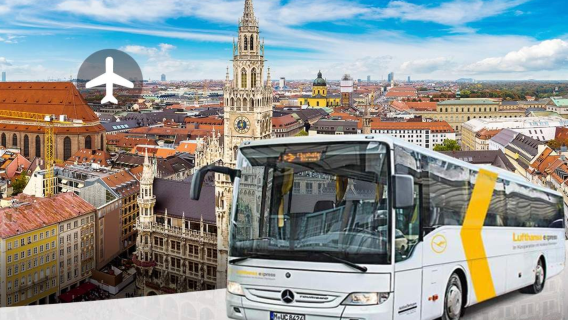
Munich Airport - Munich Bus by Lufthansa Express Bus (One-Way/Round-Trip)
4.8/5
(466 reviews) | 660 bookedDuration: 45 mins
Departs from Munich
FromEUR 13.00

City sightseeing
Munich Big Bus Hop-on Hop-off Tour [Explore Landmark Buildings/Choose Between Two Bus Routes/Luxury Open-top Bus/Explore at Your Own Pace]
5.0/5
(1 review) | 33 bookedEnglish
Munich
FromEUR 25.38

City sightseeing
Berlin Big Bus hop-on hop-off bus [luxury open-top bus/multiple bus routes/explore at your own pace/walking tour/experience currywurst]
4.0/5
(1 review) | 10 bookedEnglish
Berlin
FromEUR 29.75

City sightseeing
FromEUR 30.65
Shuttle bus
Lufthansa express bus transfer from Munich international airport (MUC) to Munich city center optional one-way/round-trip | Lufthansa express bus
10 booked
Duration: 45 mins
Departs from Munich
FromEUR 15.24

Munich Airport Transfer: Lufthansa Express Bus one-way ticket
4.0/5
(1 review) | 15 bookedDuration: 45 mins | English
Munich
FromEUR 13.00

City sightseeing
Berlin BigBus sightseeing bus (East and West Berlin relics + loop route + German urban scenery)
English
Berlin
FromEUR 32.98
Shuttle bus

City sightseeing
FromEUR 36.64

City sightseeing
FromEUR 30.92
FAQ
Popular Transport in Munich
Interrail Europe | 33-country all-Europe train pass (25% off sale! Free Europe SIM card / consecutive or flexible dates),Munich Airport - Munich Bus by Lufthansa Express Bus (One-Way/Round-Trip),Interrail Europe | Germany train pass [25% off sale / Europe multi-country SIM card redemption voucher / kids travel free / explore Germany / unlimited train rides],More
Can I change or cancel my booking?
Please confirm the details on the product details page, as cancellation and change policies depend on the specific product
How can I get discounts?
We suggest keeping an eye on price changes, as prices can vary between working days and weekends as well as during peak and off-peak seasons. We also recommend using Trip Coins and Trip discounts for your purchases. For the latest discounts, visit Trip.com.
Trip.com picks
Top Tours in Munich
Best Experiences in Munich
Popular Destinations
Allianz Arena + St. Michael's Church + Max-Joseph-Platz + Fish's Fountain private charter day tourExcursión de un día al Palacio de Nymphenburg + Museo de Bellas Artes de Múnich + Pinacoteca Antigua de Múnich + MUNICH MARRIENPLATZRothenburg ob der Tauber y Harburg: Excursión de un día desde MúnichExcursión de un día en servicio de coche privado con conductor por Múnich, Chiemsee y el Palacio de HerrenchiemseeMunich: Guided Food Walking Tour with Beer TastingExcursión de un día a MUNICH MARRIENPLATZ + Nuevo Ayuntamiento + Museo de Paleontología + King's SquareMunich New Town Hall + Marienplatz + Deutsches Museum + Victuals Market Day TourMúnich: Tour de cerveza y comida + Museo de la cerveza y OktoberfestMunich: Sunset Walking Tour with Drink StopMunich Nymphenburg Palace & Carriage Museum Fast-Track TourMunich city: Residence + Marienplatz + BMW Museum Enamórate de Múnich en un tour privado a pie por el casco antiguoExcursión de un día a MUNICH MARRIENPLATZ + MUNICH MARRIENPLATZ + Allianz Arena + Mundo de los Fans del Bayern MúnichMúnich: Tour nocturno a pie del vigilante nocturnoMunich: Hop-on Hop-off City Tour by Bus
Munich Connectivity SolutionsMunich Airport ServicesMunich Group ToursMunich Travel EssentialsMunich TransportationMunich Cultural ExperienceMunich Restaurant DiscountsMunich City PassMunich ActivitiesMunich Day ToursMunich Spa & MassageMunich SIM CardThings to do in ShanghaiThings to do in BeijingThings to do in Hong KongThings to do in OsakaThings to do in ZhangjiajieThings to do in SingaporeThings to do in ChongqingThings to do in TokyoThings to do in GuangzhouThings to do in Xi'anThings to do in ChinaThings to do in JapanThings to do in ThailandThings to do in VietnamThings to do in South Korea