How to Link Tickets to Disney App Easily?

Disney parks around the world have developed separate apps for each region. Almost every Disney resort strongly recommends that you link your tickets to the corresponding app.
At places like Disneyland in California, you must link your ticket to the app or website and reserve a theme park date after purchasing it. Otherwise, you won't be able to enter even if you have a ticket.
If you plan to visit different Disney parks consecutively (for example, go to California first and then to Shanghai), it is recommended that you download the corresponding destination's app before departure and bind it in advance using your e-ticket number or by scanning the QR code on the ticket.
To Orlando
To Los Angeles
To Shanghai
See all flights


Why You Must Link Tickets to the Disney App Before Your Visit?
For visitors to Disney (whether it's Walt Disney World in Orlando or Disneyland California), pre-booking tickets is crucial for a smooth entry and enjoyment of the park.
First, secure your entry
Many Disney parks (especially those in the US) require reservations for entry dates.
Second, secure ride tickets
Nowadays, virtual queues and Lightning Lanes are highly integrated at Disney parks. Your app account must already be linked to valid tickets for the current day.
Third, synchronize with family members
By linking all family tickets to one app, one person can simultaneously book rides, scan QR codes for entry, and reserve restaurants (Mobile Dining) for the whole family, avoiding the hassle of everyone frantically searching for their phones or paper tickets on-site.

Your Magic Tour in Disney World!
Magic Kingdom
Disney’s Hollywood Studios

Your Magical Experience in Disneyland Park
World's first Disney theme park
Joyful magic Disney World
Step-by-Step Guide: How to Link Tickets to the Disney App
Here is the operation guide; it only takes two minutes to do it on your phone.
1. Walt Disney World, Orlando (Florida) – My Disney Experience App
This Florida Disney resort relies entirely on the My Disney Experience app.
- Step 1: Open the app and log in. Click the menu icon (three horizontal lines) in the bottom right corner.
- Step 2: Select "Tickets and Passes," then click the blue "+" sign in the top right corner.
- Step 3: Click "Link Tickets & Passes."
- Step 4: Choose your linking method. You can scan the barcode in the confirmation email with your phone's camera, or click "Enter Code" to manually enter the ID confirmation code.
- Step 5: Assign each ticket to the corresponding traveler. Don't skip this step, otherwise you won't be able to help them book rides later.
2. Disneyland Resort, Anaheim, California – Disneyland App
- Step 1: Open the Disneyland app and log in. Click the menu icon (three horizontal lines) in the bottom right corner.
- Step 2: Click "Tickets and Passes," then click the blue "+" sign at the top of the screen.
- Step 3: Select "Link Tickets & Passes" and scan your e-ticket barcode with your camera. If you only have one phone and can't scan it with another, copy the ticket ID from the email and paste it into the manual input box.
- Step 4: Be very careful when entering your name on the ticket.
⚠️ Warning: Disneyland California requires you to enter a name for each ticket when you link it. Once a name is linked to a ticket in the system, it is locked, and changing it later is extremely difficult.
How to Link Disney Tickets to a Hotel Reservation?
Visiting Disney in the US and staying at official Disney Resort Hotels offers a host of perks. However, if you don't link your hotel booking to the app, the system won't recognize you as a "guest." Read on for more useful information.
- Early Theme Park Entry: Guests can enter the park 30 minutes early each day.
- Lightning Lane Passes: Guests can typically book Lightning Lane passes 7 days in advance, while non-guests can only book 3 days in advance.
- Use your phone as a room key and wallet: After linking your phone, you can use the app to unlock your room (Digital Room Key) and even charge your room for purchases and meals within the park, eliminating the need to fumble for credit cards.

Walt Disney World Resort
Whether you're traveling to Orlando or California, the linking process for both official apps is exactly the same. Just prepare your hotel confirmation number (from your email) and the last name of the person who booked the reservation, and follow these four steps:
- Step 1: Open the app corresponding to your destination (My Disney Experience for Orlando / Disneyland for California) and log in.
- Step 2: Click the menu icon (three horizontal lines) in the bottom right corner, scroll down, find and click "Link to Account".
- Step 3: Select the hotel linking option. Orlando App: First click "Type ID" at the top, then find "Resort Reservation". California App: Simply click "Link Resort Reservation".
- Step 4: Enter your hotel confirmation number and the last name of the person who booked the reservation, verify and select all travelers in the room, and click confirm.
How to Link Disney Tickets to a MagicBand or MagicBand+?
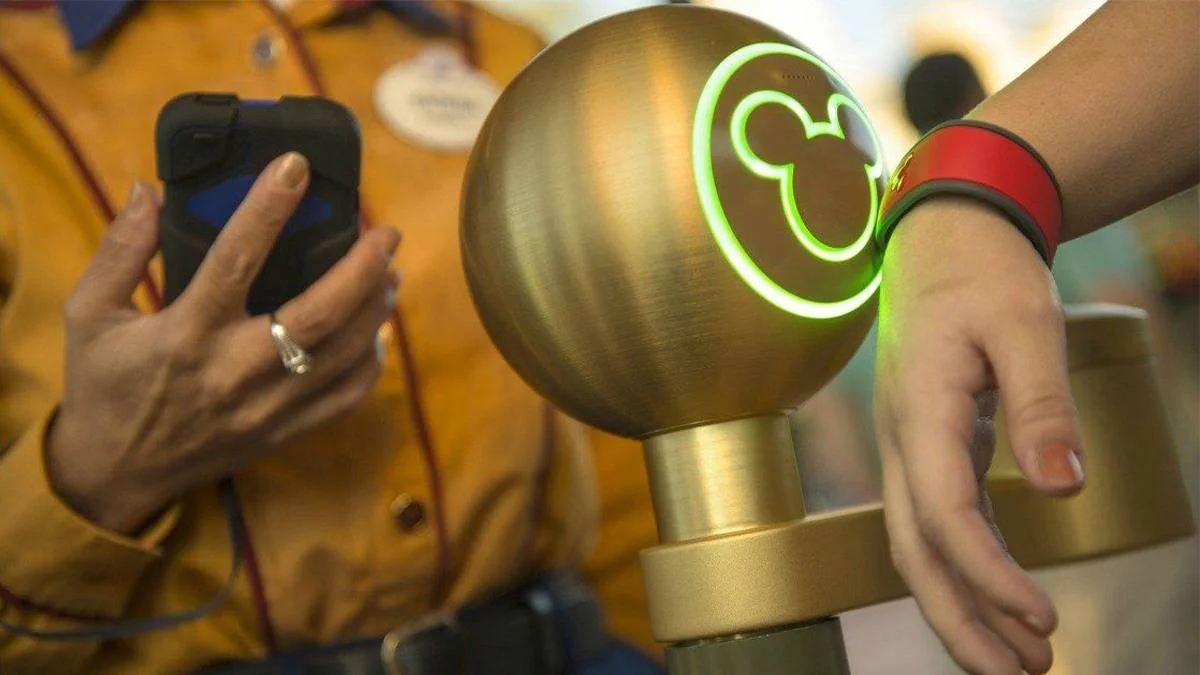
Wearing MagicBand for a stress-free Disney vacation | Credit: From Tripster
For Walt Disney World, Orlando (FL)
Absolutely the core! The park is so huge that almost every American family visiting Orlando has a MagicBand. They use it to swipe for park entry, Lightning Access, as room keys, and even for shopping within the park. It's no exaggeration to say that the MagicBand is the soul of Walt Disney World in Orlando.
For Disneyland, California (CA)
Optional. California only started supporting fitness trackers in recent years (after the launch of MagicBand+), and even then, the functionality was significantly reduced. It can't be used to open hotel rooms or link credit cards. Californians are more accustomed to using their phones or Apple Watches.
How to Add Your Disney Tickets to Apple Wallet or Google Wallet?
If tickets are made into e-passes (Disney calls this Disney MagicMobile Pass) and stored in your mobile wallet, guests won't need to open the bulky Disney app every time, or even unlock their phones.
They can simply tap their phone or Apple Watch against the gate (using NFC) to enter the park or use the Lightning Pass. This not only saves battery but also significantly improves efficiency.
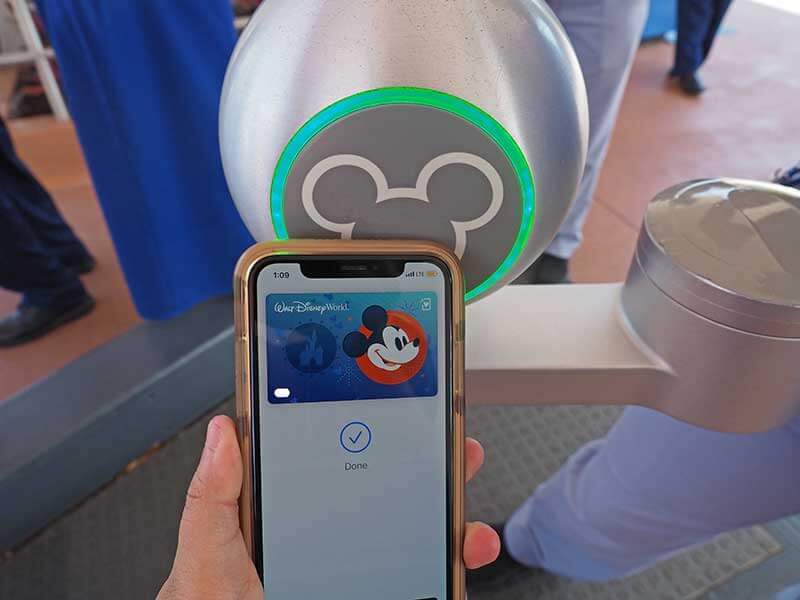
Link Disney Tickets to Apple Watch | Credit: From Undercover Tourist
Whether you're using an iPhone or Android phone, the process starts with the official Disney app. Please ensure you've already linked your tickets.
- Step 1: Open the Disney app (Orlando or California) and tap the menu icon (three horizontal lines) in the bottom right corner.
- Step 2: Scroll down and find and tap the "Disney MagicMobile" option.
- Step 3: Tap "Set Up Your Pass." The system will automatically load all tickets linked to your account.
- Step 4: Select the ticket you want to add, then click "Add to Apple Wallet" or "Add to Google Wallet".
- Step 5: Customize the card design. Disney allows you to choose different themes for your digital card. You can choose a Disney castle, Star Wars, or Marvel-themed cover.
- Step 6: Confirm the addition. Your phone will automatically redirect to the Wallet app. Once you see the digital card appear, you're all done!
Planning Tips for a Seamless Disney Park Experience
If you want shorter wait times and lower hotel prices, here are the best travel windows recommended:
- Mid-January to Late February: Avoid New Year's Day and Martin Luther King Jr. Day. During this time, with schools reopening, both parks experience their lowest visitor times of the year, making airfare and hotels the cheapest.
- Early May: Spring break has just ended, and summer break for most American schools hasn't officially started yet. The weather is usually quite comfortable, perfect for outdoor activities.
- September to Mid-October (Weekdays): With the start of the new school year, park numbers drop sharply. While there are Halloween-themed events, weekday wait times are excellent as long as you avoid weekends.
Official Hotel (On-Site) vs. Off-Site Hotel
Official Resort Hotel
- ⭕ Advantages: Seamless free transportation, 30-minute early entry, 7-day advance access to Lightning Pass, immersive magical experience.
- ❌ Disadvantages: Expensive; compared to comparable off-site resorts, the room size and facilities at the official hotel are not as cost-effective.
Off-Site Hotels
- ⭕ Advantages: Excellent value for money, wide variety of dining options, benefits for points-earning members.
- ❌ Disadvantages: High commuting costs, missed core privilege.
Top Hotels on Trip.com
Near Walt Disney
Near Disneyland California
See All Hotels
 NO.1
NO.1






FAQs about How to Link Tickets to Disney App
-
How do I link tickets to the Disney app?
-
Why can't I link my Disney ticket to my account?
-
How do I link Disney tickets to the app using a confirmation number?
-
How do I link Disney hotel reservations with friends or family?
Disclaimer: This article has been provided by an individual contributor or third party platform. If there is any discrepancy regarding the copyright, please contact us directly and we will delete the content immediately.
Trending Searched
-
Air travel guide
-
Latest flight deals
-
Getting around
-
eSIM/SIM card