
Pet friendly Hotels in Rameswaram
Book a pet-loving stay at Rameswaram's top Pet friendly hotels.
Swipe down to view more
Filter by:
Hotel Star Rating
≤2345
Guest Rating
Amazing 9+Great 8+Good 7+Pleasant 6+Best Pet friendly Hotels Rameswaram
Find spacious Pet friendly suites in Rameswaram!
Most Booked
Lowest price
Closest to downtown
Highest Rated







56
Hotels in Rameswaram
Pets allowed (must be requested in advance)
Allowed pets: Dogs, cats
Fee: Contact the hotel for details
76 reviews
6.3/10
1 night
From $42
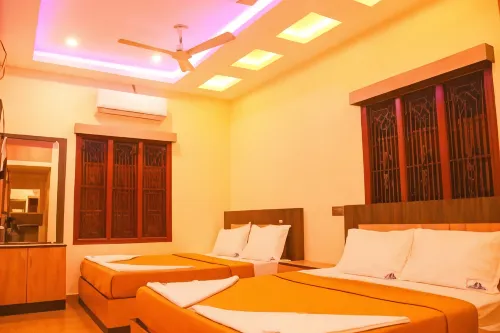






14
Hotels in Rameswaram
Pets allowed (must be requested in advance)
Fee: Contact the hotel for details
9 reviews
6.9/10
1 night
From $23
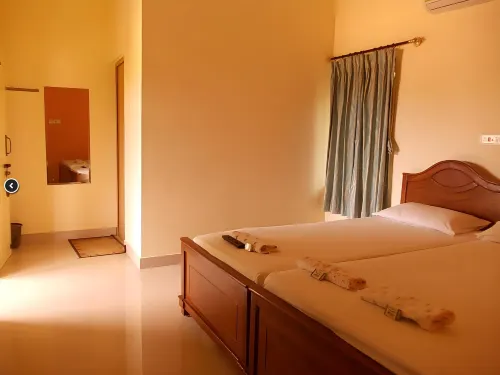






8
22 reviews
7.1/10
1 night
From $26
Frequently Asked Questions
How do I book a hotel on Trip.com?
To book a hotel on Trip.com, simply enter your destination, travel dates, and the number of guests on the page. Then, browse through the available hotels and select the one you want to book. Follow the prompts to enter your payment information and complete the booking.
How do I get hotel deals on Trip.com?
There are several ways to find affordable hotels on Trip.com. You can narrow down your search results by filtering hotels according to your preferred price range, or you can sort the results by price to view the cheapest options first.
Where can I find hotel deals on Trip.com?
Trip.com offers a wide variety of hotel deals and promotions that are available throughout the year. You can easily find these special offers on our deals page. What's more, if you are a member of our loyalty program, you can sign in to your account and discover exclusive discounted rates at hotel list pages.
How can I get lower prices for hotels?
Sometimes booking hotels midweek is cheaper, but it also depends on the season.
How many hotels are listed on Trip.com?
You can find over 1.5 million hotels in more than 230 countries or regions on Trip.com. Haven't decided which hotel to book? Browse our site to get ideas!
Can I cancel or change my hotel bookings on Trip.com?
It depends on the hotel policy and date of cancellation. Please check the policy section of the related hotel pages. To cancel or change your bookings, sign in to your Trip.com account, go to "My Bookings", and follow the instructions.
How do I contact Trip.com customer support?
You can contact Trip.com's 24/7 customer support by visiting the Help Center on Trip.com and submitting a request. You can also contact us by phone or service chat, depending on your location.
Keep Exploring
More Accommodation Types
Most Viewed Hotels
Hotel Sdm Golden TowerAkash ResidencyHotel Temple GateHotel DuwarakaHotel SupremeRudriya ResidencySelvamurugan ResidencyHotel AshokaEesha Beach View Stay - Near Temple and BeachBrindavan ResidencyOcean Sands ResidencyHotel SS PalaceHotel EliteHotel Ganesh PalaceHotel PanchavarnaaSnn ResidencySree Kumaran DeluxeSri Palani Andavar LodgeThe Residency Towersjb residency
Popular Cities
Hotels in ShanghaiHotels in BeijingHotels in GuangzhouHotels in BangkokHotels in TokyoHotels in Hong KongHotels in ShenzhenHotels in ChongqingHotels in Las VegasHotels in SeoulHotels in ChengduHotels in ZhangjiajieHotels in Kuala LumpurHotels in Ho Chi Minh CityHotels in HangzhouHotels in TaipeiHotels in SingaporeHotels in Xi'anHotels in New YorkHotels in Bali