How to Use Book Now and Pay Later with Trip.com


Want to book a hotel but worried your plans might change? Trip.com’s Pay Later lets you lock in a room now and pay only before you check in—plus enjoy free cancellation for added flexibility! In this guide, we’ll cover the benefits of Pay Later, provide a step-by-step booking walkthrough, and share quick tips for finding rooms with free cancellation, so booking hotels for your international trip is a breeze.
Search Top 10 U.S. Hotels
See All Hotels
 NO.1
NO.1






Trip.com Pay Later
On Trip.com, “Pay Later” means you can complete your booking now and delay payment until just before check-in or on a specified date.
The Benefits of Paying Later on Trip.com
Reduce the risks that come with uncertainty in your travel plans
- If your plans are still up in the air and you’re not sure the trip will happen, choose Pay Later to lock in your room now—no need to pay right away.
Flexible use of funds
- You don’t have to fork over a big payment upfront—you can put your money toward other costs first (like flights, visa fees, or day-to-day expenses) and pay once your itinerary is confirmed.
Highly flexible, easy to cancel
- Most pay-later options include a free cancellation window. If your plans change, you can cancel within that timeframe without any immediate charges.
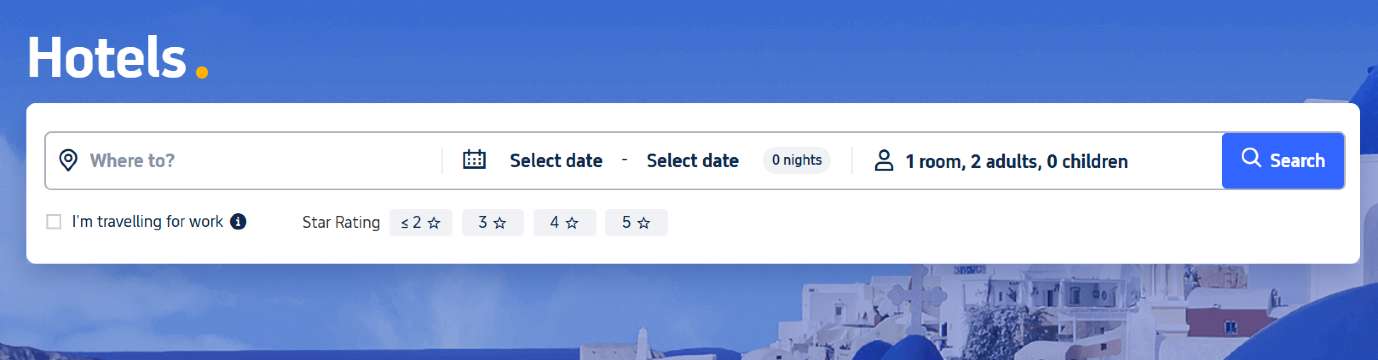
How to Book Now and Pay Later on Trip.com
Step 1: Find the hotel room type you want to book. If you see “No payment required until [Month] [Day],” it means you can book now and pay later—no upfront payment needed until that date.
Step 2: Open the room details page to review the room information and policies. Under "Policies & Services," you’ll see the free cancellation window and the non-refundable deadline. Once everything looks good, tap the Book button in the bottom-right corner.
Step 3: On the booking page, enter the guest details, double-check the fine print, and decide whether to apply a Trip.com promo code. If everything looks good, proceed to the payment page.
Step 4: On the payment page, simply select the 'No payment required until [Date]' option. Just like that, your order is confirmed, and your booking is all set for your adventure!
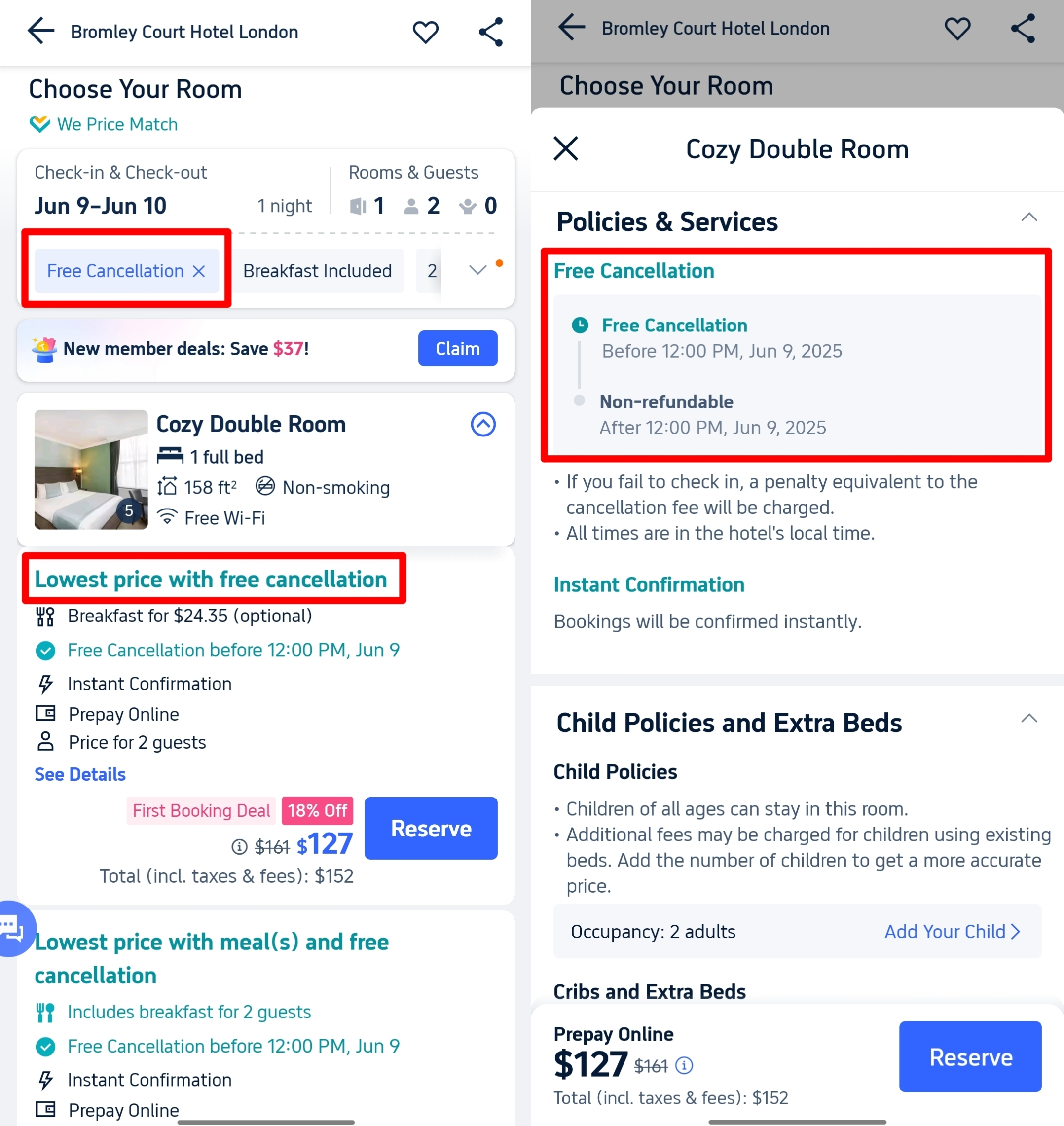
How do I Find Rooms with Free Cancellation on Trip.com?
If the hotel you pick offers Free Cancellation, you’ll usually see it on the room details page. There’s also a handy shortcut to quickly find hotels with Free Cancellation—check out the steps in the screenshots below.
Step 1: On the booking page, enter your destination, check-in date, and number of guests. Click Confirm to see a list of hotels, then click "Filter".
Step 2: Find the "Free Cancellation" option, then click Show results.
Once you complete the two steps above, you can easily find rooms that let you pay later.
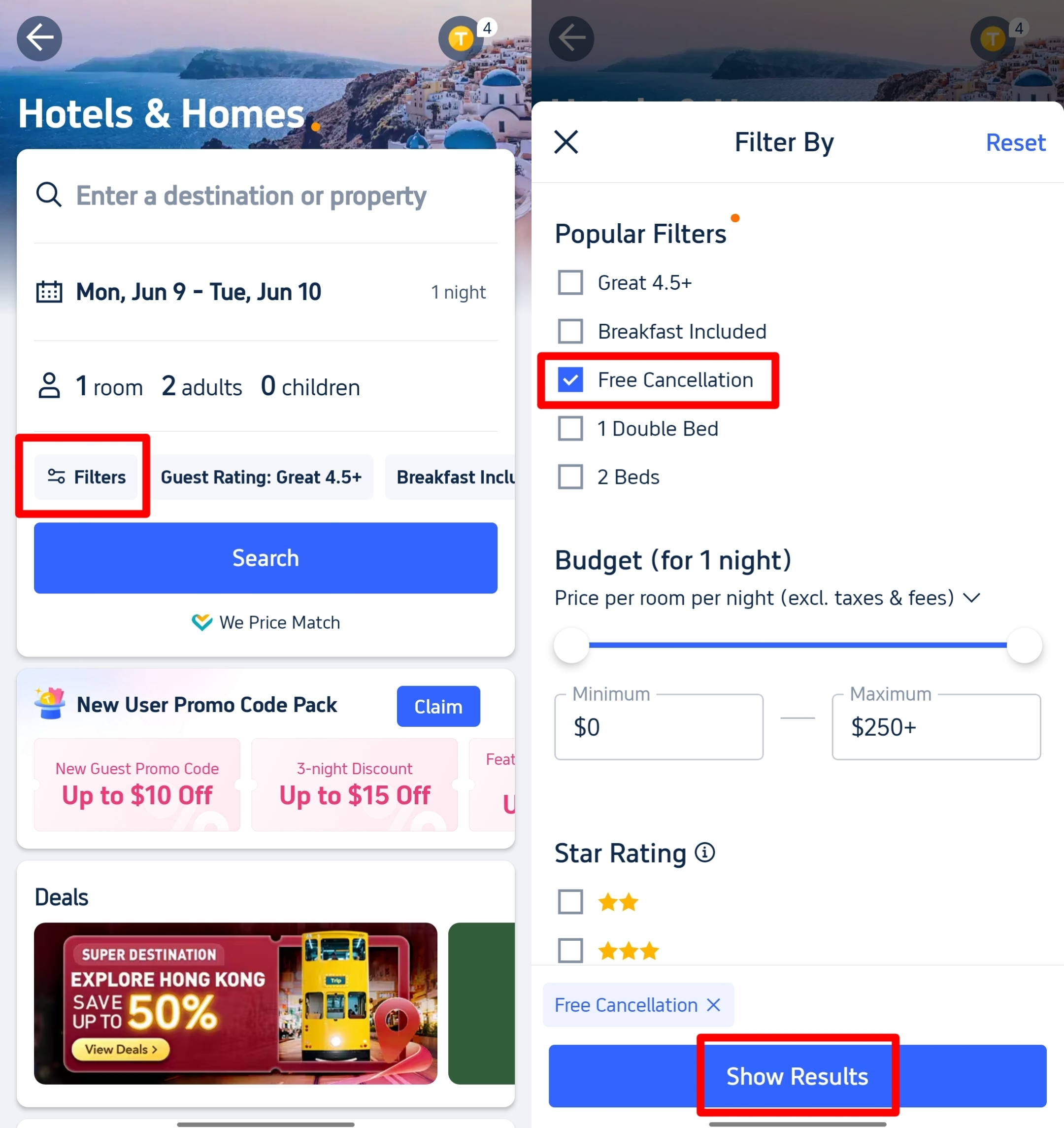
Follow these steps to find Trip.com Afterpay
See all attractions






FAQs about Trip.com Book Now Pay Later
-
What is Trip.com Afterpay?
-
Does Trip.com actually accept Afterpay payments?
-
How do I find hotels with the “pay later” feature on Trip.com?
-
When do I pay for the booking on Trip.com?
-
Can I cancel for free on Trip.com?
Disclaimer: This article has been provided by an individual contributor or third party platform. If there is any discrepancy regarding the copyright, please contact us directly and we will delete the content immediately.
Top Picks
-
Getting around
-
Popular attractions
-
eSIM/SIM card
- SHIBUYA SKY Ticket
- Shanghai Disneyland Tickets
- Universal Studios Hollywood Tickets
- Universal Studios Hollywood Early Entry
- Shanghai Tower Tickets
- Sphere Tickets
- Universal Studios Japan Tickets
- Beijing studio minisite
- Universal Studios Singapore
- Shanghai Disneyland Early Entry
- georgia aquarium tickets
- Great Wall of China
- Edge New York Tickets
- Chengdu Panda
- Hong Kong Disneyland
- Canada eSIM
- eSIM
- eSIM South Korea
- eSIM Thailand
- China SIM Card
- Shanghai Disneyland Crowd Calendar
- China Eastern Free Transit Hotel
- How to Enter Passenger Name
- Where to Stay in Shanghai
- Disneyland Tickets
- Stratton Ski Resort
- The Bund Shanghai
- Best Hotel Group for Affordable Luxury Stays
- Northern Lights Canada
- Chengdu Weather