How to Easily Book Multi-City Flights on Trip.com

By tinafa
July 22, 2025

Organizing a major journey that will take you to several places? Purchasing a multi-city ticket is the most economical, efficient, and wise course of action. It has never been simpler to create a personalized itinerary thanks to Trip.com's user-friendly platform.
to Bangkok
to Manila
to Shanghai
to Tokyo
to Seoul
See all flights


What is a flight between multiple cities?

When you take a multi-city flight, also known as an open-jaw or multi-stop ticket, you can experience more adventure without the inconvenience. Several locations can be combined into a single, straightforward itinerary rather than having separate flights booked for each stop.
✈️ New York → 📍 London → 📍 Rome → 📍 Tokyo − Just one reservation!
Business jetsetters, inquisitive tourists, and anyone looking to maximize a single, significant trip all love it. In addition to seeing more of the world, you'll save time and frequently money by not having to worry about managing several reservations.
See all attractions
 2514 booked



Why Book a Multi-City Flight? What You Get Is This

Organizing a multi-destination trip? Compared to purchasing individual tickets for each leg of the trip, a multi-city flight might be much more convenient.
Reduce expenses
When purchased in a bundle, multi-city tickets are frequently less expensive than purchasing individual one-way tickets. You may save money overall even if you're adding extra stops.
Keep everything in one location
Managing a single itinerary is much simpler. You don't need to check various airline policies or manage several booking confirmations.
Create your path
You have greater freedom to choose where you go, how long you stay, and what sequence you go in. It's perfect if you're planning a longer journey or want to visit several places at once.
Make better use of your time
You can maximize your journey time and prevent retracing with a well-planned route.
Gain a more profound experience
Every city you visit offers something fresh, whether it's the local cuisine, culture, or neighborhoods. You may enjoy more without feeling rushed when you travel to multiple cities.
Car Rentals
Car Rental Promo Code - 8% Off
New User Enjoy up to 8% Off
TRIPCAR8
How to Easily Book Multi-City Flights Guide
Organizing a trip with several stops? Trip.com makes it easy, convenient, and a terrific method to save time and money when booking a flight between multiple cities. Use these detailed instructions to organize your smooth journey:
Step 1: Go to the Flights Section.
Open the Trip.com app (available on Google Play and the App Store) or go to Trip.com. Start by tapping the "Flights" section.

Step 2: Click on "Multi-City."
Start creating your itinerary by selecting "Multi-city" at the top of the flight search box instead of "One-way" or "Round-trip."
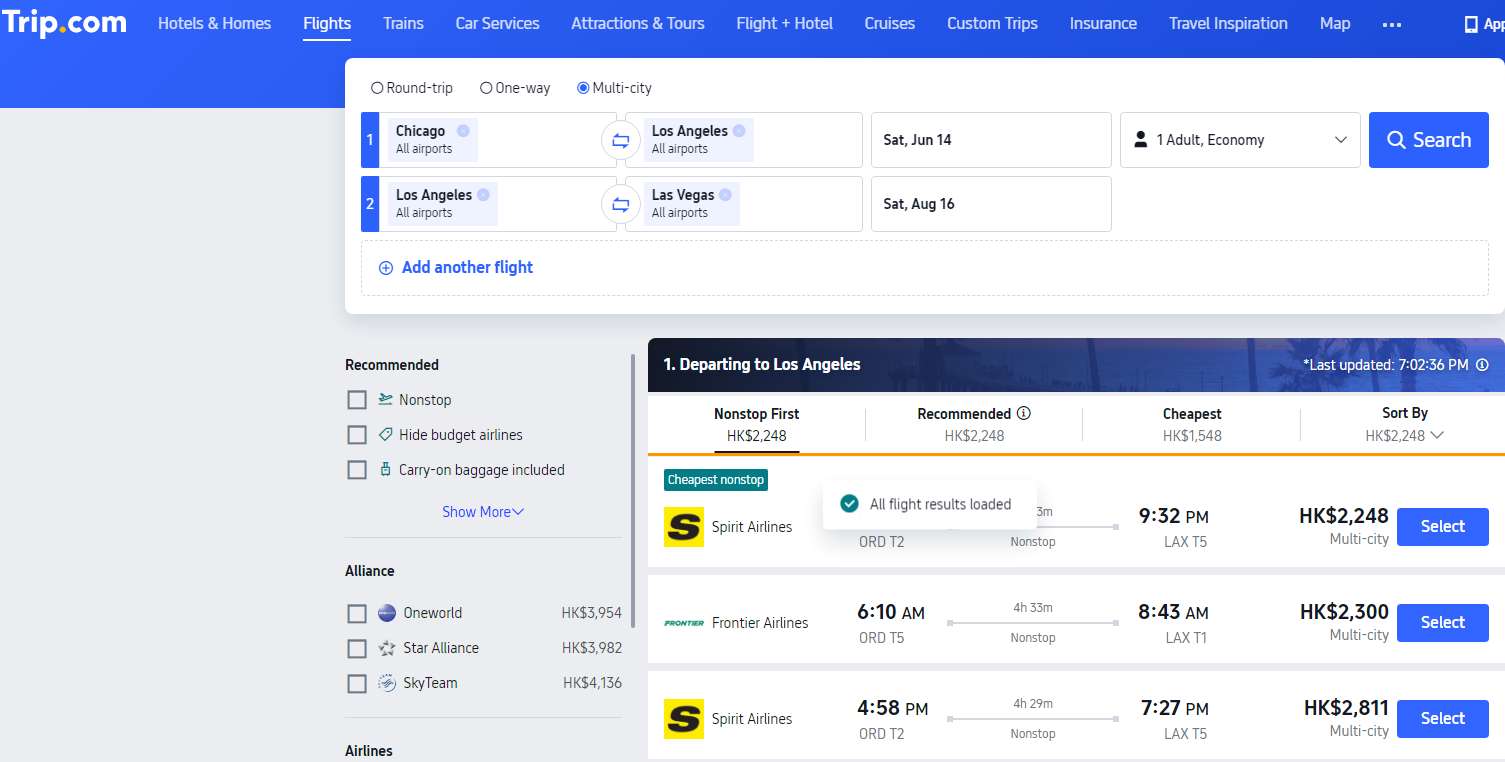
Step 3: Include Your Locations
- Enter the city of departure and the initial destination.
- To add additional stops, tap "Add Another Flight" (up to 6 cities total).
- Select the dates of each leg of your journey.
Step 4: Configure Passengers and Cabin Class
You can select your preferred flight class (e.g., business, economy) and the number of passengers just above the search button.
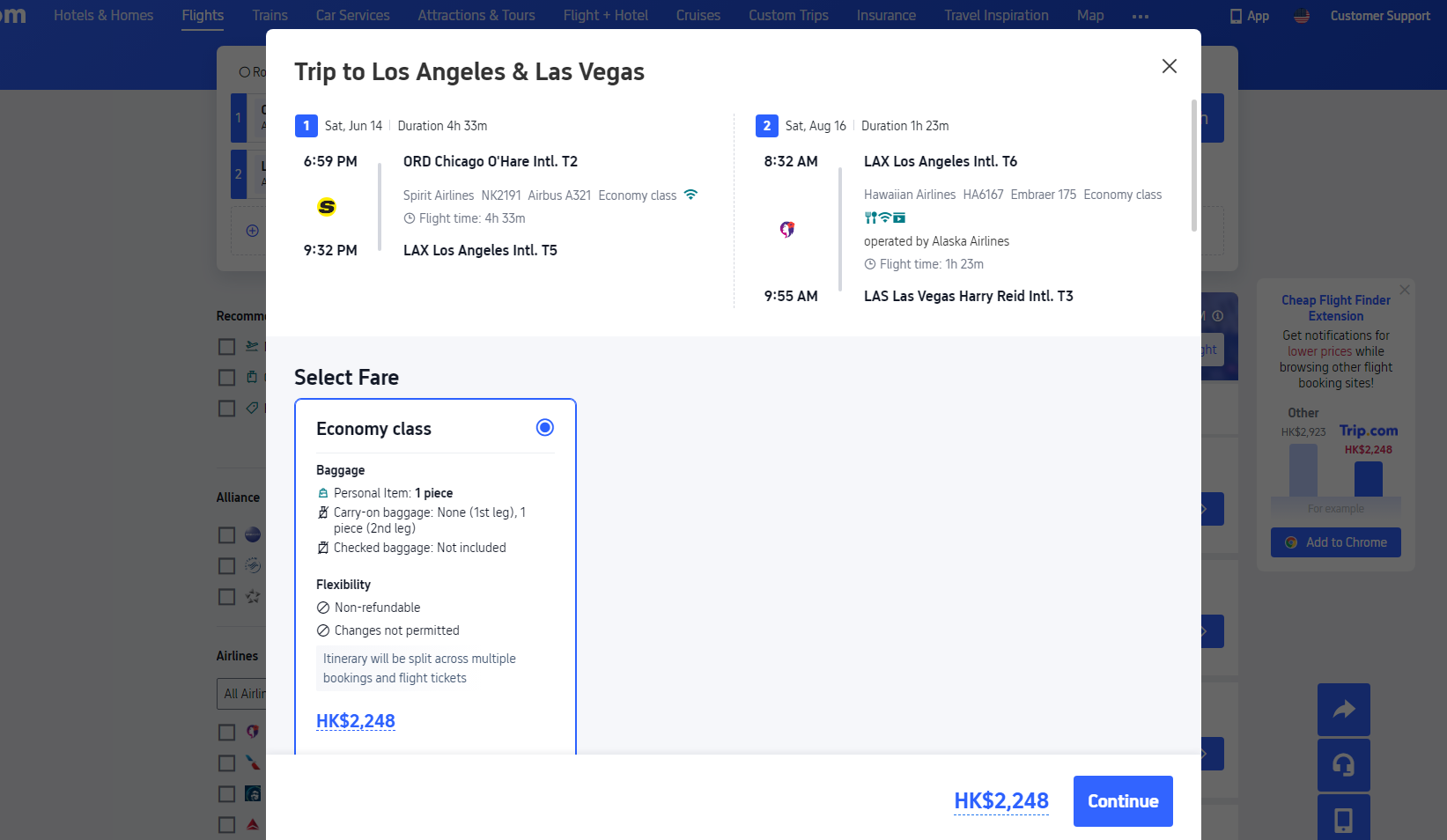
Top Multi-Destination US Tour: Chicago, Denver, Las Vegas & More
Chicago → Los Angeles → Miami is the best itinerary for traveling to multiple cities in the United States.
Begin your adventure in the "Big Apple," New York City. Discover famous sites including the Statue of Liberty, Central Park, and Times Square. Before taking a plane to Chicago, enjoy a slice of traditional NYC pizza, take a walk across Brooklyn Bridge, and see a Broadway performance.
Multi-city Travel Plan #1: Chicago & Beyond Extravaganza

Take in the view from the Willis Tower Skydeck, walk the Magnificent Mile, and eat deep-dish pizza while in Chicago. Enjoy a stunning trip on the Chicago River and visit Millennium Park's "The Bean" (Cloud Gate). After a few days, fly to Los Angeles.
See All Hotels




Multi-city Travel Plan #2: Los Angeles Dreamin' Adventure

Los Angeles, California 🌴 ☀️
Start your journey in Los Angeles, the epicenter of entertainment! Visit the Hollywood Sign, snap photos at the TCL Chinese Theatre, and stroll along the Hollywood Walk of Fame. Go shopping on Rodeo Drive, relax on Santa Monica Beach, and observe the sunset from Griffith Observatory. Before heading north, make sure to stop at In-N-Out Burger!
After that, travel to San Francisco via 1.5-hour plane ride or a scenic 6-hour drive down the Pacific Coast Highway.
See All Hotels



Multi-city Travel Plan #3: Miami Sunshine State & Southern Charm Adventure

Miami, Florida 🌴 ☀️
Start your journey in Miami, where sun, sand, and culture all converge! Explore the pastel-colored Art Deco District, walk down South Beach, and enjoy Cuban coffee and salsa music in Little Havana. After viewing Instagram-worthy street art at the Wynwood Walls, savor some fresh seafood at Joe's Stone Crab.
Drive for three and a half hours or take a quick one-hour flight to Orlando after that.
See All Hotels



How to Easily Book Multi-City Flights: 6 Proven Ways to Travel to Multiple Cities
If done correctly, booking flights between multiple cities can save you both time and money. To reduce effort and increase savings, use these expert tips:
1. Employ Appropriate Search Instruments
- You can enter more than one destination in a single search using Trip.com's "Multi-City" option.
- Google Flights' "Multi-City" function allows you to compare costs from different airlines.
- Kayak/Skyscanner: Excellent for variable date searches.
2. Make Your Reservations on Time
- For the greatest deals, plan two to four months (US/Europe).
- International: 4-6 months ahead of schedule, particularly during busy times.
- Don't make last-minute reservations unless you're looking for a mistake.
3. Make the Most of Your Path
- Fly into one city and then leave from another using an open-jaw flight (e.g., NYC → Paris → Rome → Berlin).
- Loop itineraries: Go back to where you started (LA → Tokyo → Seoul → LA, for example).
- Avoid going backwards (SF → Chicago → Miami → SF is inefficient).
4. Be Adaptable When It Comes to Dates
- To identify the cheapest days, use Google Flights' "Whole Month" feature.
- Tuesday through Wednesday airfares are frequently 20–30% less expensive than those on weekends.
5. Combine Airlines to Get Better Offers
- For instance, use low-cost airlines for quick trips (like Ryanair in Europe) and high-end airlines for lengthy flights.
- Look for one-way tickets, which are occasionally less expensive than round-trip.
6. Utilize Frequent Flyer Programs
- Book multi-city rewards flights with airline alliances like SkyTeam and Star Alliance.
- For instance, United MileagePlus for travel from the US to Europe and Asia.
FAQs: How to Easily Book Multi-City Flights on Trip.com
-
What is a Multi-City Flight?
-
How Can I Use Trip.com to Book a Multi-City Flight?
-
Can I Book Flights to Several Cities and Save Money?
Disclaimer: This article has been provided by an individual contributor or third party platform. If there is any discrepancy regarding the copyright, please contact us directly and we will delete the content immediately.
Trending Searches
-
Air travel guide
-
Latest flight deals
-
Getting around
-
eSIM/SIM card