How to Become a Host on Trip.com?


Are you a vacation rental owner in the U.S. looking to reach more travelers? Trip.com, one of the world’s leading travel booking platforms, offers a great opportunity to showcase your property to millions of international guests.
In this step-by-step guide, we’ll show you exactly how to list your property on Trip.com, create your host account, and start receiving bookings.
Why List Your Vacation Rental on Trip.com?
Reach More International Travelers
Trip.com is one of the world's leading online travel platforms, with a particularly strong presence across Asia. By listing your property on Trip.com, you can reach millions of travelers from China, Japan, South Korea, Australia, Europe, and beyond.
Expanding to a new audience can help diversify your guest base and create more booking opportunities.
Increase Your Booking Potential
Relying on a single platform can limit your visibility. Adding Trip.com to your distribution strategy allows you to attract travelers you may not reach through Airbnb or other channels.
More exposure means more opportunities to fill your calendar and grow your revenue.
Keep Occupancy High Throughout the Year
Seasonality affects every vacation rental market. Trip.com's global traveler base helps drive demand year-round, including slower seasons.
Combined with pricing tools and market insights, hosts can optimize rates and maximize occupancy.

Manage Your Property With Ease
Trip.com provides a centralized platform where hosts can manage availability, pricing, promotions, and reservations. Multiple payment options also make it easier for international guests to book confidently.
Get Support When You Need It
Whether you're new to hosting or already managing multiple properties, Trip.com offers dedicated support to help with reservations, guest communication, and other operational questions.
Expand Your Reach Across the Trip.com Group
Your listing isn't limited to a single website. Through the Trip.com Group's network, your property can gain additional exposure and connect with even more travelers worldwide.
How to List Your Property on Trip.com?
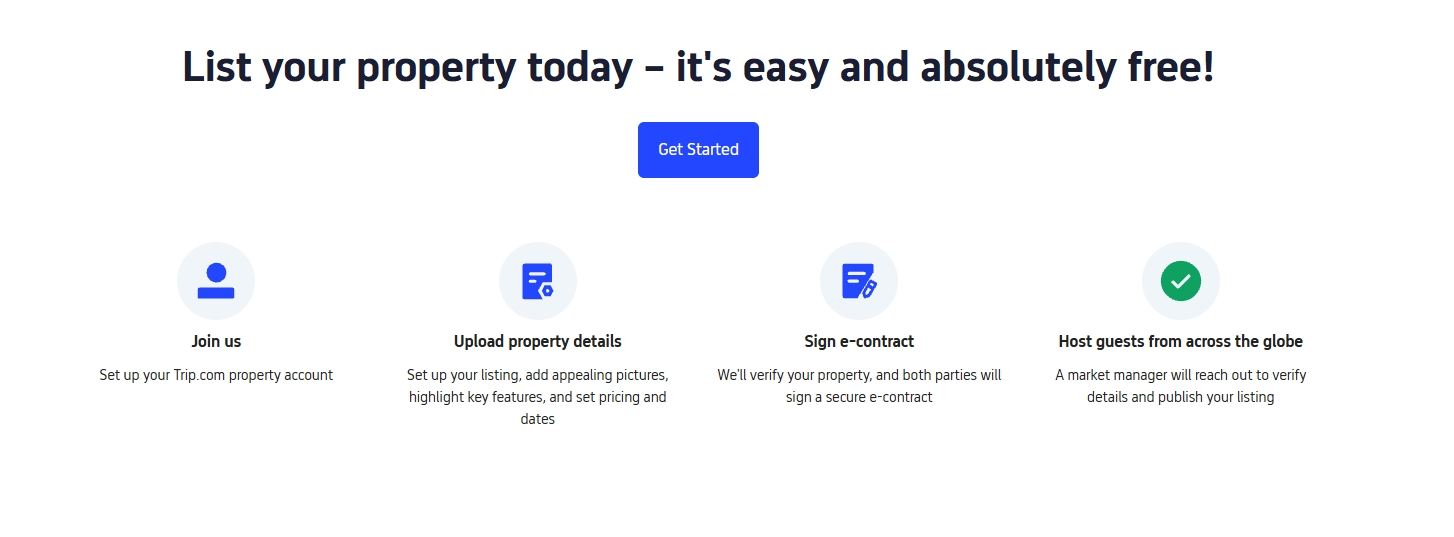
Getting started on Trip.com is as easy as 1-2-3. Click the button below to sign up today!
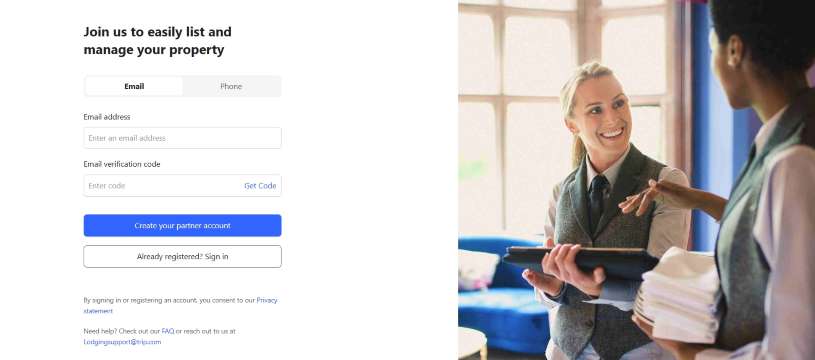
- Submit Your Property Details – Fill in your property info, upload photos, and set your availability.
- Sign the Digital Agreement – Complete the simple online agreement to become an official Trip.com host.
- Start Welcoming Guests – Once approved, your listing goes live, and you can start accepting bookings.
Trip.com Host Requirements
Requirement | Official Information | Tips for U.S. Hosts |
|---|---|---|
Property Eligibility | Houses, apartments, condos, and vacation rentals are eligible for listing. | • Check local short-term rental regulations • Verify HOA or zoning restrictions |
Account Verification | A valid ID and bank account are required for registration and payouts. | • Keep your information up to date • Use a dedicated email address for hosting |
Listing Quality | Listings should include accurate descriptions, photos, pricing, and policies. | • Upload high-quality photos • Clearly describe amenities and house rules |
Reservations & Communication | Hosts are expected to manage reservations and communicate with guests. | • Keep your calendar updated • Respond to inquiries promptly |
Compliance & Safety | Properties must comply with applicable laws and regulations. | • Install smoke detectors and secure locks • Consider short-term rental insurance |
Host Support | Trip.com provides support resources for registered partners. | • Reach out to support when needed • Work with your account manager to optimize performance |
Dedicated Support for Hosts
Hotel Support Center
Need help with reservations, account settings, or property management? Trip.com's Hotel Support Center is available to assist hosts with day-to-day questions and operational support.
- Phone: +81-3-4376-5007
- Email: hotelsupport@trip.com
- Support Hours: 9:00 AM–10:00 PM (UTC+9)
Personalized Support From Your Account Manager
After your property is successfully registered, a dedicated regional account manager may reach out to introduce themselves and provide ongoing support.
Whether you need help optimizing your listing, managing bookings, or exploring marketing opportunities, our team is here to help you get the most out of your partnership with Trip.com.
Become a Host on Trip.com
Why not share your unique rooms and signature hospitality with the world? Start your journey with us and register your property on Trip.com today!
FAQs about Becoming a Host on Trip.com
-
How do I list my property on Trip.com?
-
What types of properties can I list on Trip.com?
-
Is there a fee to list my property on Trip.com?
-
How long does it take to get my property approved on Trip.com?
-
Can I manage my bookings and calendar after I list my property on Trip.com?
Popular Tags
-
Featured travel guide
-
Top-rated stays
-
Getting around
-
eSIM/SIM card
- Hotels in Shanghai
- Hotels in Guangzhou
- Hotels in Beijing
- Hotels in Bangkok
- Hotels in Shenzhen
- Hotels in Hong Kong
- Hotels in Tokyo
- Hotels in Chongqing
- Hotels in Chengdu
- Hotels in Seoul
- Hotels in Las Vegas
- Hotels in Zhangjiajie
- Hotels in Kuala Lumpur
- Hotels in Ho Chi Minh City
- Hotels in Taipei
- Hotels in Hangzhou
- Hotels in Singapore
- Hotels in Osaka
- Hotels in Xi'an
- Hotels in New York
- eSIM
- eSIM UK
- eSIM Hong Kong
- China SIM Card
- China eSIM with VPN
- Disney World Prohibited Items
- Shanghai Weather
- Is Travel Insurance Worth It
- Universal Studios Hollywood Rides
- Beijing studio minisite
- Songkran Festival Thailand
- How to Get Shibuya Sky Sunset Tickets
- Singapore Plug Type
- N Seoul Tower Tickets
- How to Buy Shanghai Disneyland Tickets