Best VPN in China: How to Access Blocked Sites & Apps Easily in China

China has the thing called “The Great Firewall”, which can block almost all VPN traffic and make more and more VPNs obsolete in China. In this guide, I’ll give you some options for VPNs in China and cover everything you need to know to help you access the internet while you’re in China.
to Beijing
to Shanghai
to Guangzhou
See all flights


What Is VPN and Why Do I need It in China?
VPN is more commonly used in the meaning of “Ladder”, which means access to blocked websites in China.
Due to China’s extensive internet censorship (The Great Firewall), a VPN is very important to get access to those popular websites, social media platforms like X and Instagram, as well as search engines like Google and YouTube.
China eSIM: Stay Connected Without a VPN
In China, eSIM can replace the need for a VPN by offering access to global internet services. Some eSIM providers, like Trip.com, offer eSIM plans that include a built-in VPN to help bypass the firewall.
MainlandChina 4G/5G eSIM
- CoverageChina
- Data0.5-50GB
- Validity1-30 Days
- Pricefrom US$0.44

Hong Kong/Macau 5G eSIM
- CoverageChina
- Data0.5-50GB
- Validity1-30 Days
- Pricefrom US$0.46
HK/Macau/Taiwan eSIM
- CoverageChina
- Data0.5-20GB
- Validity1-30 Days
- Pricefrom US$0.46
Best VPN in China that Bypasses the Great Firewall!
Here are 3 most popular VPNs that are quite dependable in China, Express VPN, Surfshark, and Astrill VPN.
VPNs | Pros | Cons | Cost |
Express VPN | Most secure; best for streaming; 30-day moneyback service | It does not feature as much as Surfshark does… but it also has a great performance; 8 devices’ limit
| ~$12,95 for a month-to-month plan |
Surfshark | More VPN core features; unlimited connections for multiple devices; more budget-friendly | Less competitive on longer plans | ~$15.45 per month for the starter plan |
Astrill VPN | Gaining a strong reputation for roaming in China | Pricing and with relatively issued connections | ~$30 for a month-to-month plan |
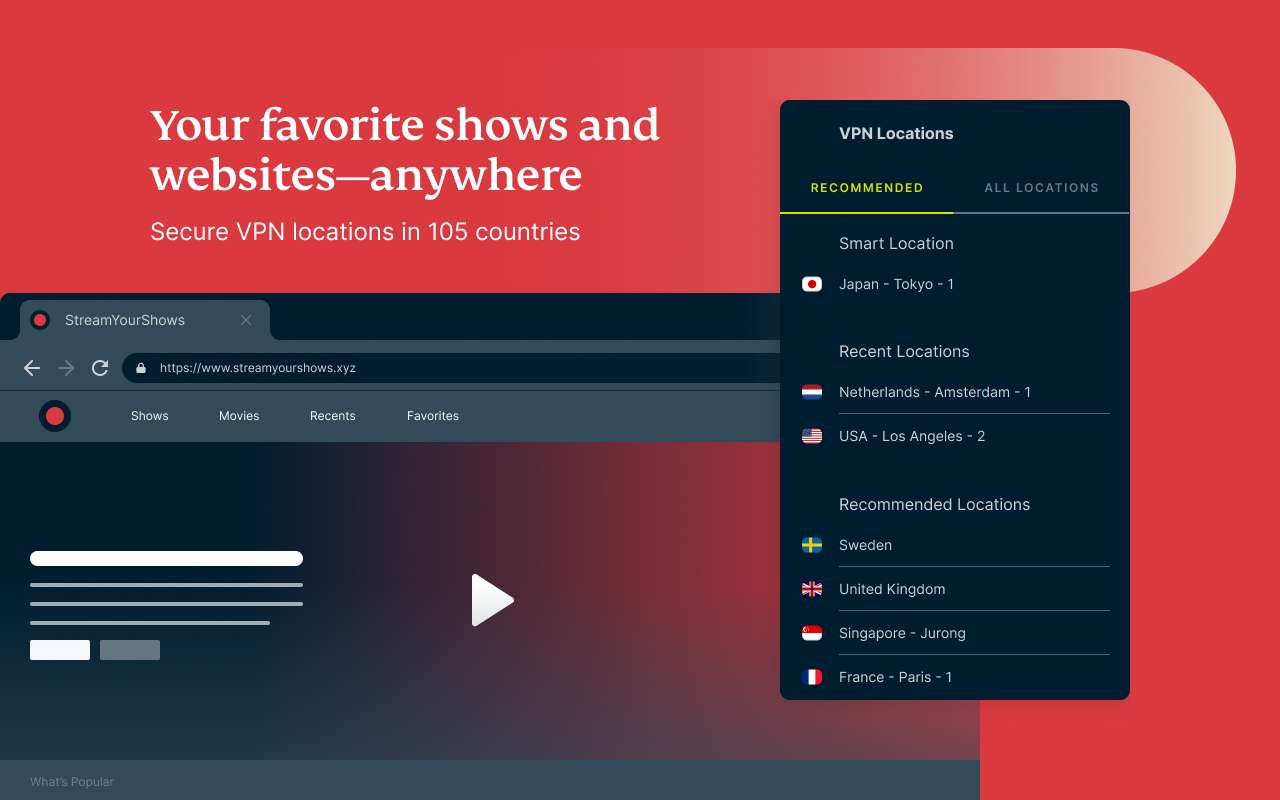
Credit: from chromewebstore.google.com | Download Express VPN for streaming anywhere
Express VPN – 3000 + servers across 105 countries
It’s the top pick for VPNs in China. Express VPN is considered the most secure option since it does not log, store, or share any data. It has a threat manager to block ads or any infected websites.
As the most consistent VPN in China, it can access streaming services like Netflix and HBO Max, even with a fast speed to watch content in HD or 4K~
By the way, Express VPN has a 30-day moneyback guarantee. You’ll get a full refund if you’re not satisfied with its services.
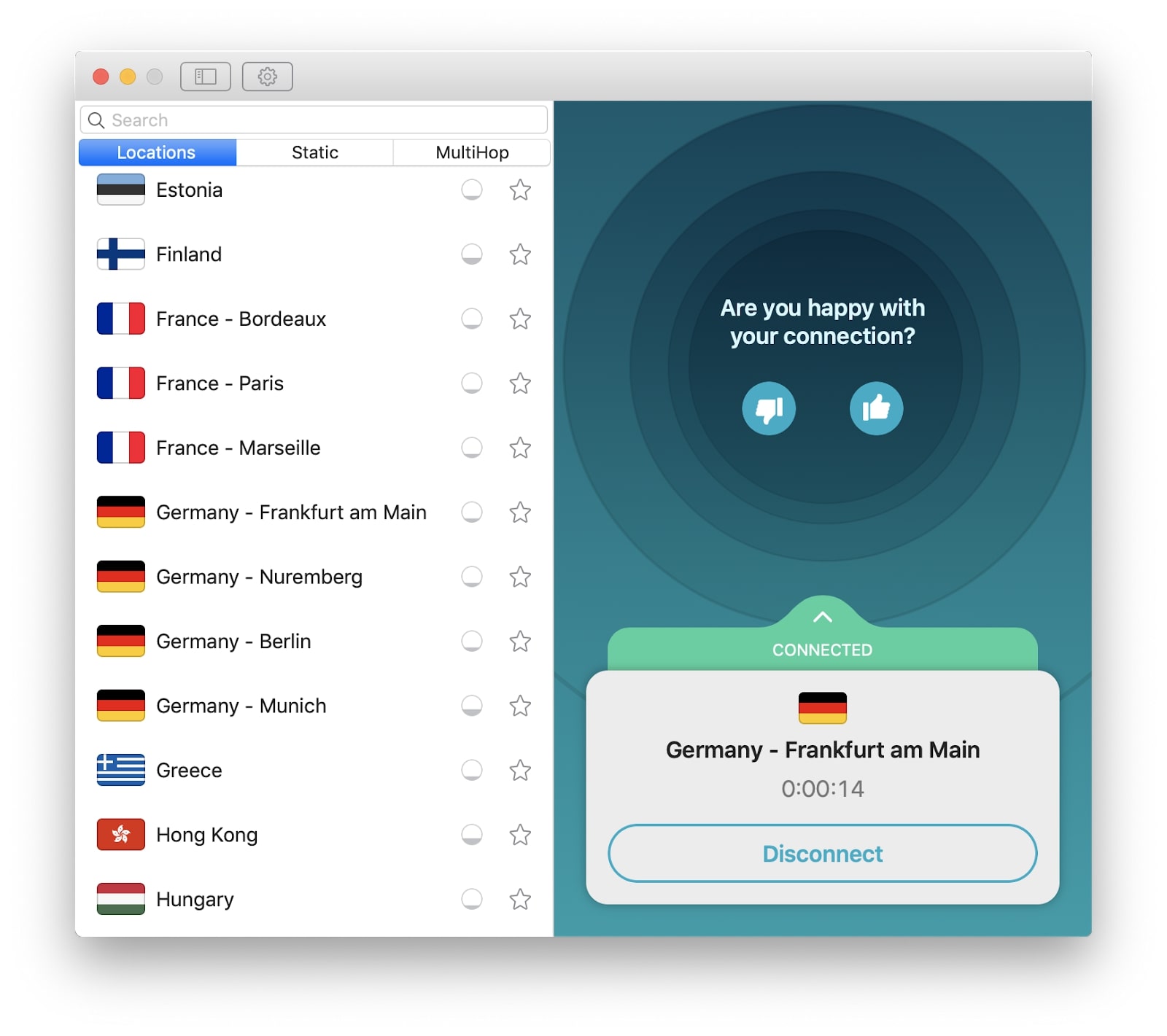
Credit: from macupdate.com | Surfshark
Surfshark – 3200 + servers across 100 countries
If Express VPN is probably not up your alley, you can also trust Surfshark for fast speed and streaming access as well! Surshark is a more budget-friendly option than Express VPN without losing its core VPN features.
It also guarantees your 30-day trial with a full refund if it doesn’t meet your expectations. The best part of Surfshark is its unlimited connections for multiple devices. You can share it with all your family members!
Notes: another choice people might recommend is Astrill VPN. But it might be the least choice you want to make for its pricing and the lack of streaming services, especially on Steam. And it doesn’t guarantee you a 30-day moneyback service.
See All Hotels
 NO.1
NO.1



Paid VPNs VS. Free VPNs in China
There’re free VPNs available when traveling in China. But it comes with more uncertainty and unreliability for its speed, data security, and limited server locations.
Type | Features |
Paid VPNs for China | Faster speed Reliable security (strong no-log policy) Moneyback guarantee A wider selection of server locations A strong success rate using services like Zoom & WhatsApp |
Free VPNs in China | Low speed Risk of data loss Data limits (daily/monthly) Ads uncontrolled Poor customer support |
Note: free VPNs in China, such as Windscribe, ProtonVPN, and TunnelBear.

Badaling Great Wall
4.7/5
12032 reviewsWhat an incredible visit! The morning visit really allows you to enjoy the site and access less crowded areas. The north cable car is a wonderful experience. It's a shame there wasn't a map to make the visit easier.

The Bund
4.8/5
5924 reviewsShanghai After Dark — The Bund Never Sleeps ✨“Where the river reflects a thousand city lights and the future rises above a timeless waterfront. The Bund is more than a view — it’s Shanghai at its most magical, where elegance, ambition, and endless dreams meet.” 🌃❤

Chimelong Safari Park
4.8/5
13835 reviewsAn amazing place. I recommend it to everyone. The emotions are indescribable. We were there all day, and even that wasn't enough)) The only small lines are where the parasafari is. I recommend visiting it first and then exploring the territory. We got there by taxi.
How to Set Up a VPN for China?
China uses Deep Packet Inspection (DPI) just like your airport security. It shuts down many VPN websites, VPN servers, and disrupts VPN traffic in a way.
So, it’s hard for you to know exactly how to choose and set up a VPN for China. Don’t worry. I’ll get you through how to set up Express VPN this time for a trip to China!
I’ll take Express VPN for example. It still works since it uses advanced obfuscation technology to make itself look like a normal web browser. Set it up before you go to China.
- Download Express VPN before you arrive! (In case it’s blocked from opening the Express VPN website, download Express VPN on every device you need, such as phone, laptop, and tablet)
- Sign up and install!
- Save the activation code by screenshotting or emailing!
- Turn on automatic updates! (Express VPN regularly updates to bypass China’s firewall)
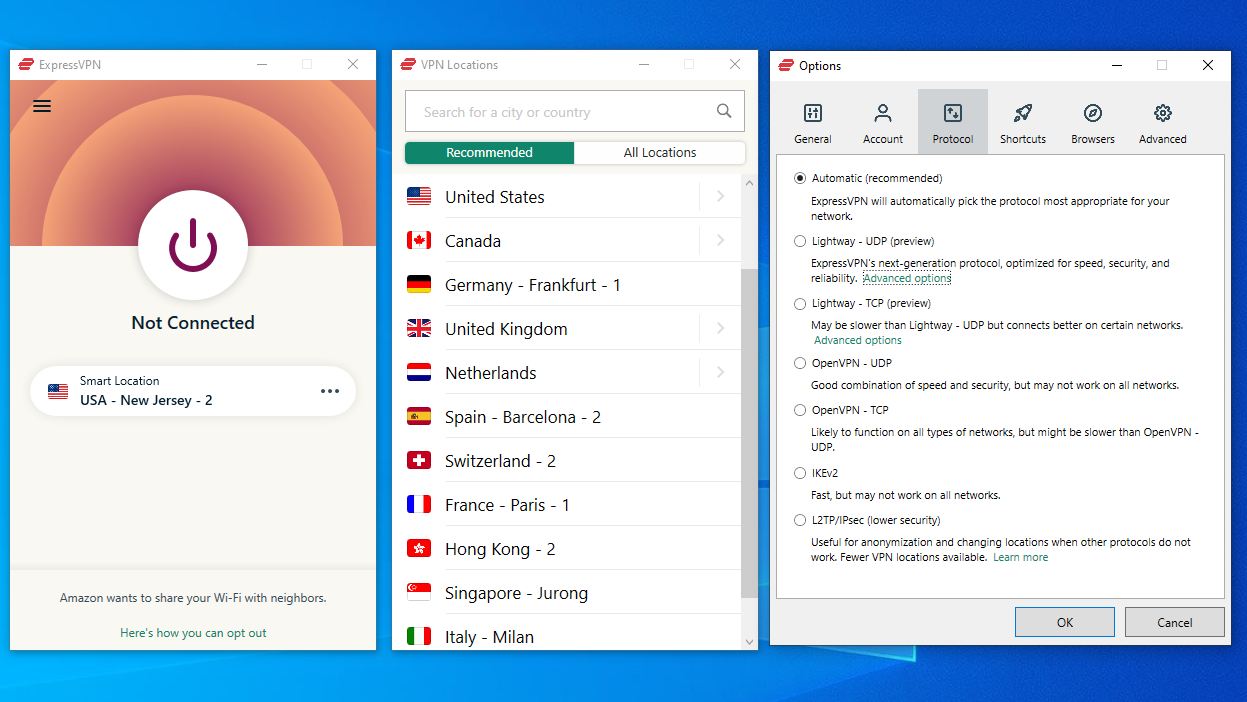
Credit: from sneakerfiles.com | Express VPN
After that, you may now be supposed to do these steps to keep more stable when using VPNs in China.
- Go to Express VPN settings and change the VPN Protocol to “Automatic”. (This allows it to switch between protocols that work the best at that time)
- Enable the kill switch! (If the VPN disconnects somehow, go to settings, general, and turn on “stop all internet traffic".)
- Connecting to a server that works in China. (Go to settings, VPN locations, and pick the right server. Recommended locations are Japan, Singapore, the USA, the UK, and France.
Tips: make sure that your family and friends also download and install the VPN apps; if one location doesn’t work, try another; give it 30 seconds to a minute before switching servers.
Car Rentals
Car Rental Promo Code - 8% Off
New User Enjoy up to 8% Off
TRIPCAR8
China Entry Requirements & Things to Prepare
- 24/240 China Visa-Free Transit: US citizens can enjoy a 240-hour (10-day) visa-free transit when traveling through 24 Chinese provinces, provided they hold a confirmed onward ticket to a third country or region.
- China Plug & Power: China plug uses Type A/C/F (220V). Bring a Type A/C adapter (US plugs sometimes work, but bring a universal adapter for safety).
- Internet Access in China: You need a China VPN for Google/Ins/YT/X, etc. But you can also use a China eSIM with built-in access to overseas apps!
Getting Around & Top Destinations in China
- China Metro Guides: Shanghai Metro | Beijing Metro | Guangzhou Metro | HK Metro
- China Airport Guides: Shanghai Airport | Beijing Airport | Guangzhou Airport | HK Airport Express
- China City Maps: Beijing Map | Guangzhou Map | Shanghai Map | HK Map
- Top Destinations in China: Shanghai Attractions (Disneyland, Bund) | Beijing Attractions (Forbidden City, Great Wall) | HK Attractions (HK Disneyland)
Must-Have Apps in China
- China Map App: I love to use Gaode Map (English supported) or Baidu Map (limited English) for real-time transit and traffic. Or you can still use Google Maps in China, but some data may be outdated.
- China Transport App: Use DiDi (China's Uber) for English address input and cashless payment. I recommend using the DiDi mini-program in Alipay for more convenience.
- China Payment App: Use Alipay or WeChat Pay (link foreign cards before arrival).
- China Booking App: Trip.com for high-speed trains (China HSR Guide), China hotels/flights. Use Trip.com promo codes for USA users.
FAQs about Best VPN in China
-
Can you use a VPN in China?
-
Does China know if you use VPN?
-
What is the best VPN to use in China?
-
Do you need a VPN in Hong Kong?
-
Do I need a VPN in China if I have eSIM?
Disclaimer: This article has been provided by an individual contributor or third party platform. If there is any discrepancy regarding the copyright, please contact us directly and we will delete the content immediately.
Trending Searches
-
eSIM/SIM card
-
Popular Cities
-
Latest flight deals
-
Popular attractions
- eSIM Japan
- Taiwan eSIM
- eSIM
- Best VPN in China
- eSIM Vietnam
- Can I Bring Alcohol on a Plane
- Late Check Out
- How to Change Taobao to English
- Taipei 101 Tickets
- Rent Apartment in Shanghai
- forbidden city tickets
- Shanghai Skyline
- Walt Disney World Early Entry
- Universal Studios Hollywood Early Entry
- Hutong Beijing
- Hotels in Shanghai
- Hotels in Guangzhou
- Hotels in Beijing
- Hotels in Bangkok
- Hotels in Shenzhen
- Hotels in Tokyo
- Hotels in Hong Kong
- Hotels in Chongqing
- Hotels in Seoul
- Hotels in Chengdu
- Hotels in Las Vegas
- Hotels in Zhangjiajie
- Hotels in Kuala Lumpur
- Hotels in Ho Chi Minh City
- Hotels in Taipei
- Hotels in Hangzhou
- Hotels in Singapore
- Hotels in Xi'an
- Hotels in Osaka
- Hotels in New York
- SHIBUYA SKY Ticket
- Shanghai Disneyland Tickets
- Universal Studios Hollywood Tickets
- Universal Studios Hollywood Early Entry
- Shanghai Tower Tickets
- Sphere Tickets
- Universal Studios Japan Tickets
- Beijing studio minisite
- Universal Studios Singapore
- Shanghai Disneyland Early Entry
- georgia aquarium tickets
- Great Wall of China
- Edge New York Tickets
- Chengdu Panda
- Hong Kong Disneyland