Google Maps Not Working in China? Best Alternatives & Fixes


You're standing outside a subway station in Shanghai, trying to figure out which exit will get you closest to your hotel. You open Google Maps, as you've probably done hundreds of times back home, only to realize that the directions won't load. Even worse, the little blue dot showing your location doesn't seem to match the street you're standing on.
For Americans visiting mainland China, this can be a frustrating surprise. Google Maps isn't a dependable navigation option there, and having an international phone plan doesn't necessarily solve the problem.
Fortunately, you don't have to spend your vacation guessing which way to walk. China has several excellent navigation apps, including options with English-language support. Here's why Google Maps struggles, what you can use instead, and how to get your phone ready before your flight.
Flights to China
New York to Beijing
Los Angeles to Shanghai
San Francisco to Guangzhou
See all flights


Why Is Google Maps Not Working in China? The Real Reasons Explained
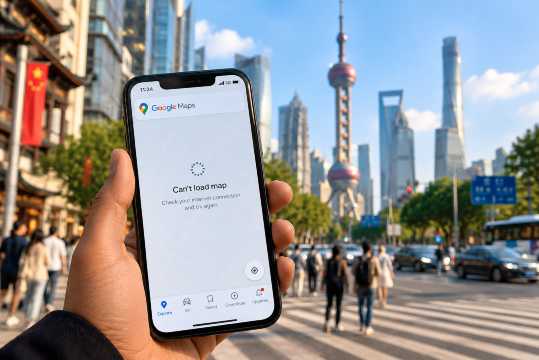
Follow me down this rabbit hole. Google Maps has three major problems in mainland China: restricted access to Google's servers, differences in mapping coordinates, and limited local navigation information. If you can understand these issues to some degree, it'll help you avoid wasting time trying to fix something that isn't necessarily wrong with your phone.
The Great Firewall: Why Google Services Are Blocked in China
China operates an extensive internet filtering system commonly called the Great Firewall. It restricts access to numerous international websites and services, including Google Search, Gmail, and Google Maps.
Google's relationship with China changed significantly in 2010, when the company stopped censoring search results through its mainland Chinese search service and redirected users to its Hong Kong site. Google's services have faced extensive restrictions in mainland China in the years since.
For travelers, the practical result is pretty simple. If you're connected to an ordinary mainland Chinese mobile network or Wi-Fi connection, Google Maps may fail to load or retrieve the information you need. And even if some international roaming plans and travel eSIMs route traffic through networks outside mainland China, that doesn't guarantee Google Maps will provide accurate local navigation.
The GPS Coordinate Offset Problem (Why Your Location Looks Wrong)
And then there's another complication that has nothing to do with your phone's ability to receive a GPS signal. Most of the world uses the WGS-84 geographic coordinate reference system for GPS positioning. Mainland China's commercial digital maps generally use GCJ-02, a coordinate system that applies a systematic transformation to geographic positions.
When map coordinates from these different systems aren't handled correctly, roads, landmarks, and location markers can appear misaligned. Depending on the location, the discrepancy can be hundreds of meters. You might see your location displayed on the wrong side of a road, for example, or find that a saved pin doesn't line up with the building you're trying to reach. This doesn't automatically mean your phone's GPS is malfunctioning, though. The problem can arise when a map or location service doesn't properly reconcile the different coordinate systems.
No Real-Time Data: Navigation, Transit, and Business Listings Can Fail
Even when Google Maps opens, it may not have the detailed, current information you're accustomed to using in the United States.
You might encounter three common problems:
- Navigation: Driving or walking directions may fail to load, return incomplete routes, or lack important local details.
- Public transportation: Subway connections, bus schedules, station exits, and service updates may be unavailable or unreliable.
- Local businesses: Restaurants, hotels, and attractions may have outdated addresses, missing listings, or incomplete operating hours.
That last problem can be especially inconvenient and frustrating when you're trying to find somewhere to eat after a long flight. China's domestic mapping platforms are much better integrated with local roads, public transportation networks, and business information, which is why they're generally the better choice.
Does Offline Google Maps Work in China?
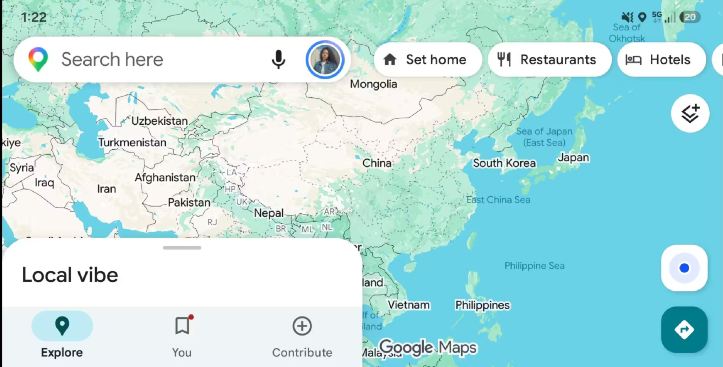
Downloading maps before your trip sounds like an obvious workaround. Unfortunately, offline Google Maps isn't a complete solution for making your way through mainland China. Google Maps offline functionality depends on whether map downloads are supported for the area you're visiting. Google also notes that offline maps aren't available for download in some countries or regions.
Even when you have usable offline map data, offline mode has important limitations. You shouldn't expect live traffic conditions, public transit directions, walking routes, or up-to-date business information to work the way they do with an internet connection. Offline driving directions are supported only under certain conditions, and features such as alternative routes may be unavailable. You may still struggle with the coordinate alignment issue as well.
My advice is to check whether the map area you need can be downloaded before departure, but don't build your entire navigation plan around Google Maps. Amap or Apple Maps will generally be more practical for everyday directions in China.
China eSIM Plans
See all attractions
 957112 booked



Best Alternatives to Google Maps in China (That Actually Work)
If there's one thing I'd recommend doing before visiting China, it's getting comfortable with at least one local navigation app. Amap, Baidu Maps, and Apple Maps are three of the strongest options. Which one makes the most sense depends largely on your phone and how comfortable you are using an unfamiliar interface.
Amap (Gaode Maps / 高德地图): Best Overall for Foreign Travelers
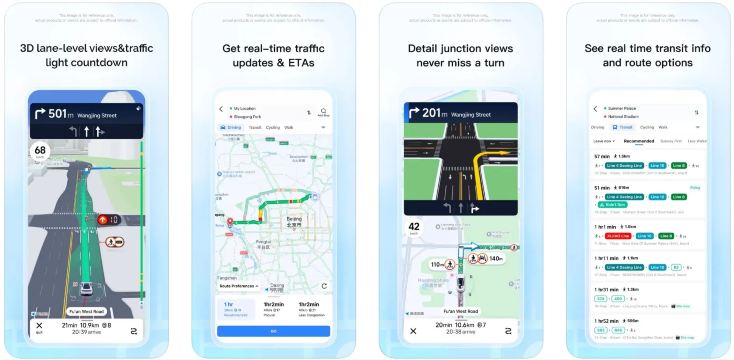
Amap, also called Gaode Maps, is one of China's major navigation services. It provides detailed walking, driving, and public transportation directions using local mapping data. It's useful when you're trying to locate the right subway exit, follow walking directions through a busy neighborhood, or check traffic conditions before taking a taxi.
Amap also offers real-time routing information, road updates, and extensive local points of interest. Its English-language functionality makes it more approachable for international visitors than it used to be, although some listings and features may still appear in Chinese. If you're traveling with children, the subway-exit information alone can save you a lot of unnecessary walking, especially when you're carrying luggage or pushing a stroller.
Best for: Walking directions, subway navigation, road routes, and everyday sightseeing.
Baidu Maps (百度地图): Best for Comprehensive Local Data
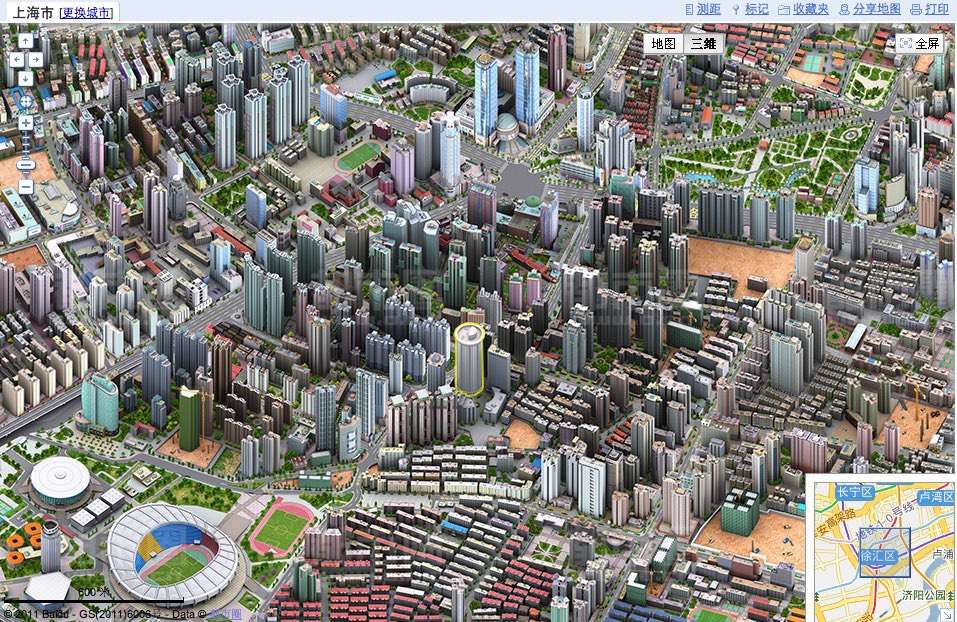
Baidu Maps is another major Chinese mapping service with extensive local business and transportation information. It's useful for finding smaller restaurants, shops, shopping centers, and attractions that may be difficult to locate through international mapping services.
Depending on the location, Baidu Maps also offers detailed building information, indoor mapping, traffic conditions, and street-level imagery. The biggest drawback for American travelers is the language. Much of the interface and many local listings are primarily in Chinese, so figuring out the app may require translation assistance. Even with that, it's still a very useful backup when another mapping service can't find a particular address.
Best for: Local business discovery, detailed points of interest, and Chinese-language address searches.
Apple Maps: Best No-Setup Option for iPhone Users
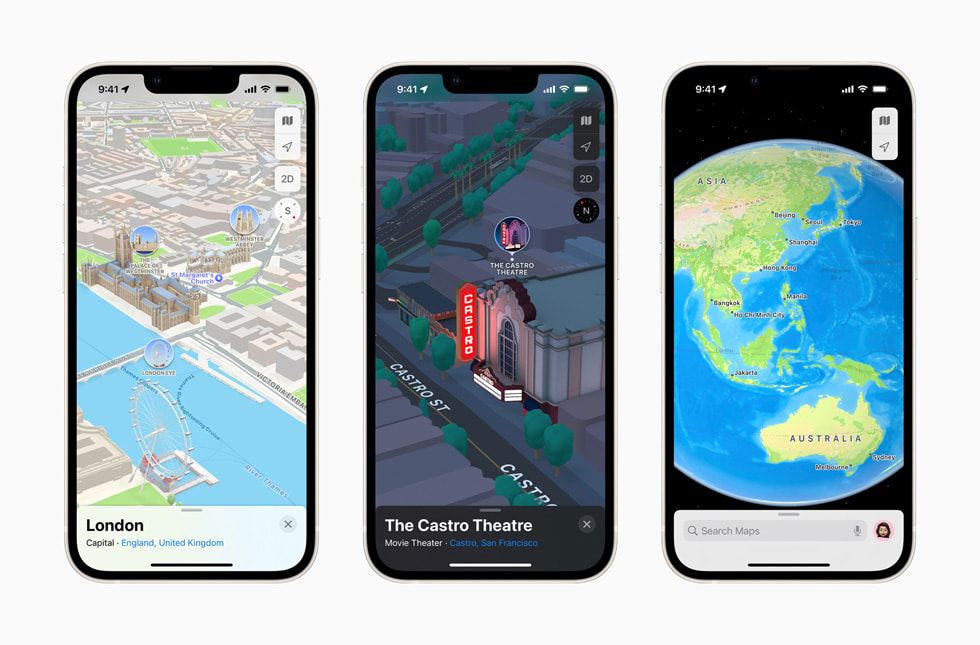
If you have an iPhone, Apple Maps may be the easiest place to start. Apple Maps uses local mapping data supplied by Amap for mainland China, allowing it to provide navigation adapted to Chinese roads and mapping requirements.
You can use the familiar Apple Maps interface without installing a separate Chinese mapping app, and the service doesn't generally require a VPN for ordinary use in mainland China. Its English-language interface is another advantage, especially if you don't speak Mandarin.
I'd still keep Amap available as a backup because local listings, public transportation details, and specific features can differ between the two services.
Best for: iPhone users who want familiar, English-language navigation with minimal setup.
Navigation App | Best Feature | Main Drawback |
|---|---|---|
Amap (Gaode) | Detailed local navigation and public transit | Some content may remain in Chinese |
Baidu Maps | Extensive local businesses and points of interest | Primarily Chinese-language interface |
Apple Maps | Familiar English-language interface on iPhone | Some local details may be less comprehensive |
Car Rentals
Car Rental Promo Code - 8% Off
New User Enjoy up to 8% Off
TRIPCAR8
Google Maps in China for Specific Use Cases: Transit, Driving, Food & Hotels
You may not need every feature of a navigation app while traveling. Perhaps you're mainly taking the subway, using taxis, or walking between your hotel and nearby attractions. Here's what I'd use for each situation.
Google Maps for Public Transit in China (Subways & Buses)

Credit: Lihui Sun/Unsplash
China's major cities have extensive public transportation networks, and some subway stations are enormous. It's easy to underestimate how much time you can lose by choosing the wrong exit. You could come above ground several blocks from your destination and have to walk around a large intersection or shopping complex to get back on track.
- Google Maps doesn't reliably provide the detailed local transit information needed for these situations.
- Amap is a much better choice because it can help you identify subway routes, station exits, transfers, and walking directions. Available real-time information varies by city and service.
For a trip to Beijing or Shanghai, I'd also familiarize myself with the city's official subway information before arrival.
Google Maps for Driving in China
Credit: Frederic J. Brown/AFP/Getty Images
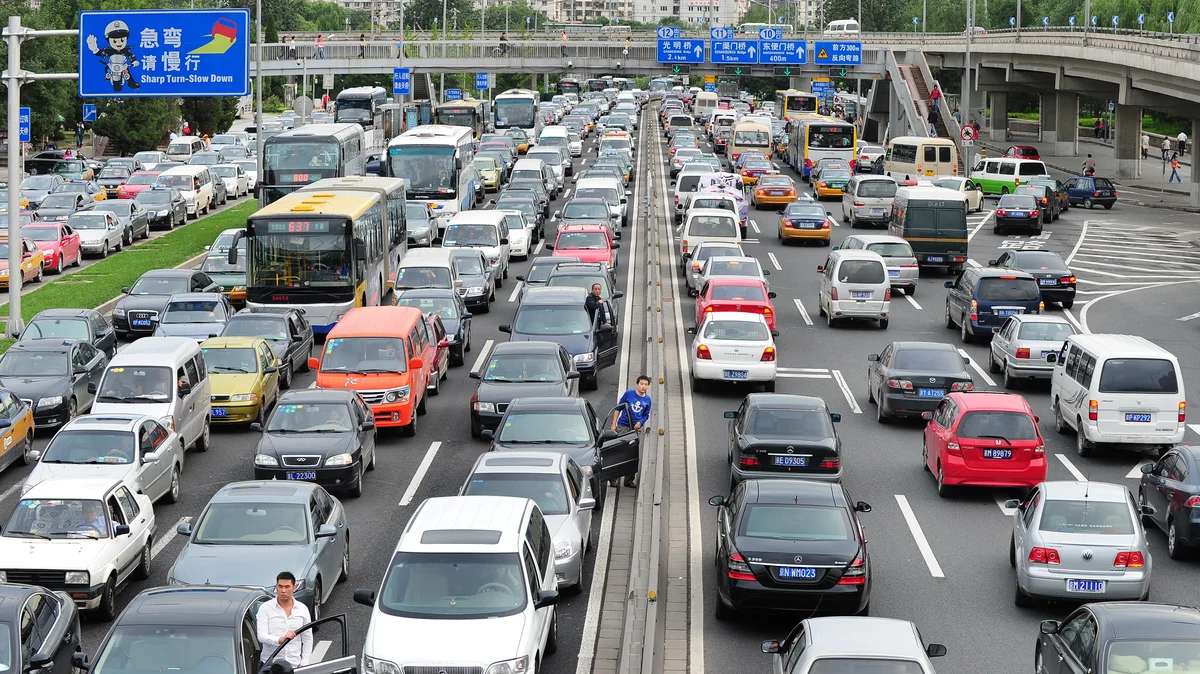
If you're planning to travel by car, I'd avoid depending on Google Maps for directions. Even if you can access Google through international roaming or another connection, its driving information may be incomplete. Missing road changes, inaccurate routing, or insufficient lane guidance can become frustrating in unfamiliar traffic.
Amap is designed around China's road network and offers features such as live traffic conditions, route adjustments, and local driving guidance. Keep in mind that foreign visitors generally can't drive in mainland China using only a U.S. driver's license or an International Driving Permit. Appropriate Chinese driving authorization is required. For many tourists, taxis, ride-hailing services, trains, and public transportation will be much simpler.
Google Maps for Finding Restaurants, Hotels, and Landmarks

This is another area where Google Maps can be disappointing. In the United States, you might search for a restaurant, browse photos, check reviews, and walk there without thinking twice.
In China, Google's local listings may be incomplete or outdated. Baidu Maps and Amap are useful for locating businesses, while platforms such as Dianping and Meituan are widely used for restaurant discovery and local services.
For hotels, I recommend keeping the property's Chinese name and full address saved on your phone. You can use Trip.com to compare hotels, review property details, and keep your booking information accessible. Having the Chinese address ready is especially helpful when showing a taxi driver where you need to go.
Tours and Activities in China
Shanghai
Beijing
Chongqing
Guangzhou
See all attractions












![Beihai Park in Beijing Trip Moments [8 chain stores in Beijing · Hanfu + makeup and styling/multiple packages optional]](https://ak-d.tripcdn.com/images//0586012000rf58x2mFB8B_C_568_320.jpg)



![[Guide Included] Chongqing Yangtze River Cableway + Light Rail Through Buildings + Hongyadong + Ciqikou 1-Day Tour](https://ak-d.tripcdn.com/images/0350612000ocen7dg0CA9_C_568_320.jpg)
![[Can include boat tour for groups of up to 8 people] Chongqing Wulong Natural Three Bridges + Longshuixia Gorge + Wujiang River Day Trip](https://ak-d.tripcdn.com/images/0352912000ll1hsh4F70B_C_568_320.jpg)


![[8-person group tour including Wulong Natural Three Bridges, Longshuixia Gorge, and Wujiang River cruise] Chongqing Wulong Three Natural Bridges, Longshuixia Gorge, and Wujiang River day trip](https://ak-d.tripcdn.com/images/0350l12000rx88gxdF881_C_568_320.jpg)
![Chongqing travel photo shoot [Chongqing visa on arrival (8D mountain city riding + cyberpunk style + motorcycle street photography)]](https://ak-d.tripcdn.com/images/0354w12000s035mzq8F12_C_568_320.jpg)








How to Prepare Your Phone for Navigation in China Before You Leave
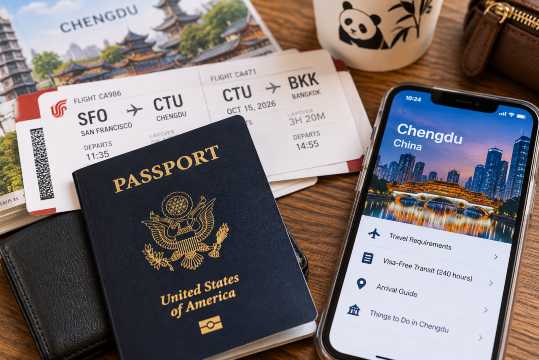
I always prefer getting the practical details of an international trip sorted before leaving home, especially when traveling with family. Figuring out unfamiliar transportation systems is much easier when you're not also dealing with a dead phone battery, tired children, and luggage. China is one destination where a little phone preparation can make a substantial difference.
Pre-Trip Navigation Checklist: What to Install and Set Up
Before boarding your flight, work through this checklist:
- Install Amap and, if useful, Baidu Maps. Open the apps and familiarize yourself with the search and navigation functions.
- Check offline map availability. Download supported offline maps in advance, but don't assume Google Maps will provide complete offline coverage in mainland China.
- Research connectivity restrictions. If you're considering a VPN, understand local regulations and check whether your chosen service is suitable before traveling.
- Arrange mobile data. Compare international roaming and China-compatible travel eSIMs. Some plans use international routing, but coverage and access to particular services vary.
- Save essential addresses. Keep your hotel's Chinese address, airport details, and major attractions in an accessible note or screenshot.
- Check local transportation resources. For cities such as Beijing and Shanghai, download useful subway maps or official transportation apps where available.
I'd also recommend carrying a portable charger. Navigation, translation, photography, and mobile payments can drain your battery surprisingly quickly during a full day of sightseeing.
Using Dual Navigation: A Smart Backup Strategy
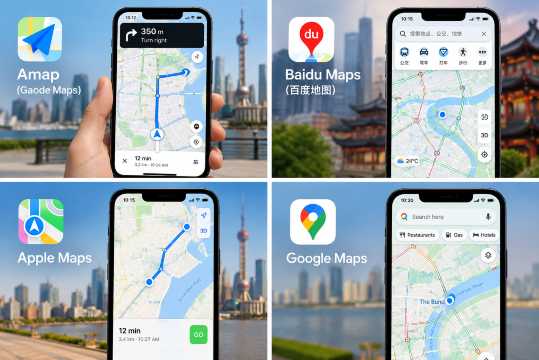
Even with the right apps installed, I wouldn't rely on a single navigation option for an entire trip.
- For iPhone users, Apple Maps and Amap make a practical combination. You can use Apple Maps for familiar navigation and switch to Amap when you need more detailed local information.
- Android users can use Amap as their primary option and keep Baidu Maps available for additional local searches.
Google Maps can remain a reference tool where accessible, but I wouldn't treat it as a dependable offline backup for China.
One more thing: take screenshots of your hotel's location, the nearest subway station, and the address in Chinese. Those screenshots can be useful even if you temporarily lose your mobile connection.
Should You Get an eSIM for China?
A travel eSIM can be convenient because you can arrange your data plan before departure instead of searching for a physical SIM card after arriving.
However, not every eSIM works the same way. Check whether the plan supports mainland China, which networks it uses, whether your phone is compatible, and how its internet traffic is routed. Some international travel eSIMs may provide access to services that are restricted on ordinary mainland connections, but you should verify the provider's current terms rather than assuming every plan will work identically.
Search Flights to China
Getting From the Airport to Your Hotel
After a long international flight, I prefer having a plan for the first journey to the hotel. If you're arriving in Beijing, Shanghai, or another major city, you can research airport rail connections or arrange a transfer in advance. For families with several bags, a prearranged airport transfer may be easier than navigating a busy station immediately after landing.
[10% Off] China Hotel Recommendations
Hotels in China
Shanghai
Beijing
Guangzhou
Chengdu
See All Hotels































FAQs about Google Maps Not Working in China
-
Why is Google Maps not working in China?
-
Can I use Google Maps in China with a VPN?
-
What is the best alternative to Google Maps in China?
-
Does Apple Maps work in China without a VPN?
-
Can I download Google Maps offline for China?
Disclaimer: This article has been provided by an individual contributor or third party platform. If there is any discrepancy regarding the copyright, please contact us directly and we will delete the content immediately.
Trending Searches
-
eSIM/SIM card
-
Popular Cities
-
Latest flight deals
-
Popular attractions
- Takkyubin Luggage Forwarding
- Treehouse Hotel in China
- Taiwan Arrival Card
- Chengdu Layover
- Hotel Deals
- US Halloween Theme Park Events 2026
- Beijing Day Tours
- Shanghai Day Tours
- Chongqing Day Tours
- Pattaya Day Tours
- Shenzhen Activities
- Shanghai Activities
- Hong Kong Activities
- Chongqing Activities
- Beijing Activities
- Hotels in Shanghai
- Hotels in Guangzhou
- Hotels in Beijing
- Hotels in Bangkok
- Hotels in Shenzhen
- Hotels in Hong Kong
- Hotels in Tokyo
- Hotels in Chongqing
- Hotels in Chengdu
- Hotels in Seoul
- Hotels in Las Vegas
- Hotels in Zhangjiajie
- Hotels in Kuala Lumpur
- Hotels in Ho Chi Minh City
- Hotels in Taipei
- Hotels in Hangzhou
- Hotels in Singapore
- Hotels in Osaka
- Hotels in Xi'an
- Hotels in New York
- US Halloween Theme Park Events 2026
- Beijing Day Tours
- Tokyo Day Tours
- Shanghai Day Tours
- Chongqing Day Tours
- Pattaya Day Tours
- Shenzhen Activities
- Shanghai Activities
- Hong Kong Activities
- Chongqing Activities
- Beijing Activities
- Cheer Events in Maria-Chapdelaine 2026
- Tamaulipas Esport Events in Sep 2026
- Classical Events in Buffalo
- Folk Events in Cottingham 2026